Installing and Configuring the Option › Configure a RAID Device › View a Summary of RAID Devices
View a Summary of RAID Devices
The steps that follow help to ensure that your RAID devices are configured properly.
To view a summary of RAID devices
- From the Configuration menu on the CA ARCserve Backup Manager window, select Device Configuration.
The Device Configuration Welcome dialog opens.
- Click Next.
The Device Manager Options dialog opens.
Note: You must shut down the Tape Engine to perform this task. If the Tape Engine is currently running, you are asked to stop it. Click Yes to continue.
- Select RAID Device and click Next.
The Configure RAID Devices dialog opens.
- Click Next.
The Summary dialog opens with a summarized list of all RAID devices.
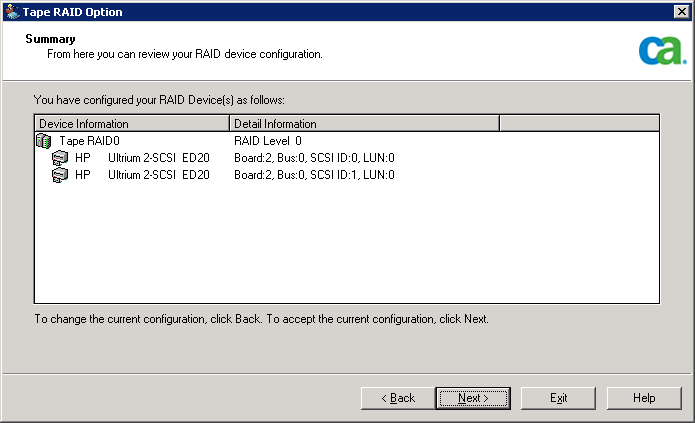
- To close the Summary dialog, click Next, and then click Exit.