

Latest version: 3.0.2-1
|
At a Glance |
|
|
Catalog |
System |
|
Category |
Gateways |
|
User volumes |
no |
|
Min. memory |
96 MB |
|
OS |
Linux |
|
Constraints |
no |
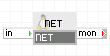
NET is an output gateway that provides outgoing access to a network outside of an application. NET accepts traffic from the application on its in terminal and forwards it through its external interface to the outside network (for example, the Internet).
NET has a firewall that allows only outgoing traffic (connections and datagrams); it drops incoming traffic that is not for an already established connection or related to a datagram request. NET can be configured to further limit the set of IP addresses reachable through it.
NET serves as a default network gateway and DNS server for the appliance(s) connected to its in terminal.
Important! Only gateway output terminals should be connected to NET's in terminal.
NET is used for accessing services outside of an application whose host names are determined at runtime (for example, mail server addresses obtained from MX DNS records or search engine bots that need to traverse the web).
Resources
|
Resource |
Minimum |
Maximum |
Default |
|
CPU |
0.05 |
4 |
0.05 |
|
Memory |
96 MB |
2 GB |
96 MB |
|
Bandwidth |
1 Mbps |
2000 Mbps |
200 Mbps |
Terminals
|
Name |
Dir |
Protocol |
Description |
|
in |
in |
Any |
Accepts all incoming traffic |
|
mon |
out |
CCE |
Output for performance and resource usage statistics |
The external interface is enabled. It is used for outgoing traffic. Its network settings are configured through properties.
The default interface is enabled. It is used for maintenance (incoming SSH connections).
Properties
|
Property name |
Type |
Description |
|
ip_addr |
ip_owned |
Defines the IP address of the external interface of the gateway. This property is mandatory. |
|
netmask |
IP address |
Defines the network mask of the external interface. This property is mandatory. |
|
gateway |
IP address |
Defines the default IP network gateway (router) for the external interface. If left blank, only hosts on the same subnet as ip_addr/netmask will be accessible. |
|
dns1 |
IP address |
Defines the primary DNS server to which NET will forward DNS requests. If left blank, NET will use the root DNS servers. |
|
dns2 |
IP address |
Defines the backup DNS server to which NET will forward DNS requests if the primary is not available. If left blank, NET will not use a backup DNS server. |
|
allowed_hosts |
String |
List of hosts and/or subnets to be accessible through NET. Separate multiple entries with spaces or commas. Supported format example: 192.168.1.2 192.168.1.0/24 192.168.2.0/255.255.255.0. Default: 0.0.0.0/0 (all allowed) |
|
denied_hosts |
String |
List of hosts and/or subnets to which access will be denied. The format is the same as for allowed_hosts. Default: (empty) (none denied) |
Error Messages
The following messages may appear in either the appliance log file or the system log of the grid controller when the appliance fails to start:
Failed to set up backup rule set (exit code <code>)
The following diagram shows a typical usage of NET for a simple mail server application that accesses the Internet for mail forwarding using NET:

Summary of Parts
in passes inbound connections to the mailman server. Mailman serves the mail request and sends outbound mail through net gateway. The mail is sent in two steps for each message: first, sending a DNS request for the target mail server and then sending the message to that server . The net gateway forwards the DNS request from the mailman server to the specified DNS server and makes the connection to the target mail server.
The smtp appliance shown in the above example is not shipped with CA 3Tera AppLogic.
The following sections describe the configuration of net in several typical use cases.
Unrestricted Access to Standard Domains
In this mode, NET is configured in a way very similar to a regular network gateway (for example, for connecting a LAN to the Internet using ISP).
Example:
|
Property name |
Value |
Description |
|
ip_addr |
192.168.1.12 |
IP address of the external interface. |
|
netmask |
255.255.255.0 |
Network mask for the external interface. |
|
gateway |
192.168.1.1 |
Gateway for the external interface. |
|
dns1 |
192.168.1.2 |
Primary DNS server. |
|
dns2 |
192.168.2.1 |
Backup DNS server. |
Note: Many companies have internal domains that can be resolved only through their private DNS servers (for example, .local or .localdomain). To use such domains, configure the dns1 and dns2 properties to point to those private DNS servers. Also see the possible hosts restrictions feature below.
Unrestricted Access to Standard Domains Using Root DNS Servers
In this mode, NET does not need specific DNS servers and uses a set of preconfigured Internet root servers.
Example:
|
Property name |
Value |
Description |
|
ip_addr |
192.168.1.12 |
IP address of the external interface. |
|
netmask |
255.255.255.0 |
Network mask for the external interface. |
|
gateway |
192.168.1.1 |
Gateway for the external interface. |
Important! In this mode, NET needs access to the root DNS servers (otherwise NET will fail all DNS queries). The gateway property must be specified.
Restricted Access to Private Domains
In this mode, NET is restricted to accessing only specified networks, allowing and denying specific hosts and subnetworks.
Example:
|
Property name |
Value |
Description |
|
ip_addr |
192.168.1.12 |
IP address of the external interface. |
|
netmask |
255.255.255.0 |
Network mask for the external interface. |
|
gateway |
192.168.1.1 |
Gateway for the external interface. |
|
dns1 |
192.168.1.2 |
Primary DNS server. |
|
dns2 |
192.168.2.1 |
Backup DNS server. |
|
allowed_hosts |
192.168.1.0/24 192.168.2.0/24 |
Allowed subnets. |
|
denied_hosts |
192.168.1.4 192.168.2.4 |
These IP addresses will not be reachable. |
Important! In this mode, the DNS servers must be within the set of allowed hosts.
General Notes
In general, the only type of output terminal that should be connected to NET's in terminal is a gateway output. These outputs differ from regular outputs by acting as default gateways for their appliances, allowing connections to multiple hosts (as opposed to the single-host access provided by regular outputs). Gateway outputs are shown visually with a blue square in the terminal shape, while regular outputs are shown with red arrows.
Notes:
NET is not used for providing incoming requests to an application. Incoming request can be handled using the IN gateway appliance.
Open Source and Third Party Software Used Inside the Appliance
NET uses the following 3rd party open source packages in addition to the 3rd party open source packages used by its base class LUX5.
|
Software |
Version |
Modified |
License |
Notes |
|
bind |
9.3.6-4.P1.el5_4.1 |
No |
ISC license |
downloads page |
|
bind-libs |
9.3.6-4.P1.el5_4.1 |
No |
ISC license |
downloads page |
|
iptables |
1.3.5-1.2.1 |
No |
GPLv2 |
homepage |
|
audit-libs |
1.7.13-2.el5 |
No |
GPLv2 |
N/A |
|
audit-libs-python |
1.7.13-2.el5 |
No |
GPLv2 |
N/A |
|
dbus |
1.1.2-12.el5_4.1 |
No |
AFLv2.1 |
N/A |
|
dbus-libs |
1.1.2-12.el5_4.1 |
No |
GPLv2 |
N/A |
|
libselinux |
1.33.4-5.5.el5 |
No |
Public domain |
N/A |
|
libselinux-python |
1.33.4-5.5.el5 |
No |
Public domain |
N/A |
|
libselinux-utils |
1.33.4-5.5.el5 |
No |
Public domain |
N/A |
|
libsemanage |
1.9.1-4.4.el5 |
No |
GPLv2 |
N/A |
|
libsepol |
1.15.2-2.el5 |
No |
LGPLv2.1 |
N/A |
|
policycoreutils |
1.33.12-14.6.el5 |
No |
GPLv2 |
N/A |
|
Copyright © 2011 CA.
All rights reserved.
|
|