

Latest version: 1.5.3-1
|
At a Glance |
|
|
Catalog |
System |
|
Category |
Deprecated |
|
User volumes |
yes |
|
Min. memory |
160 M |
|
OS |
Linux |
|
Constraints |
no |
Note: As of CA 3Tera AppLogic 2.8, INSSL is a deprecated assembly wrapper for the INSSLR gateway. It provides the same boundary as INSSL in CA 3Tera AppLogic release prior to 2.8, which allows seamless upgrade for applications using the INSSL class.
The INSSL appliance is a layer-7 gateway for secure HTTP requests. It converts the requests to unencoded HTTP requests. This can be used whenever it is necessary to support secure HTTP on the client's side, but the back-end processing infrastructure does not or cannot support SSL, including:
INSSL provides a firewalled entry point for network traffic into an CA 3Tera AppLogic application, which can be configured with an Internet-accessible static IP address.
To support applications that need to appear at a single IP address for more than one service, SSL can be configured to direct non-HTTP traffic transparently to a separate output terminal. For such connections, the appliance acts as a layer-3 firewall/NAT router.
Resources
|
Resource |
Minimum |
Maximum |
Default |
|
CPU |
0.05 |
4 |
0.05 |
|
Memory |
160M |
2G |
160M |
|
Bandwidth |
1 Mbps |
2 Gbps |
200 Mbps |
Terminals
|
Name |
Dir |
Prot. |
Description |
|
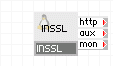
http |
out |
HTTP |
HTTPS and/or HTTP requests received on the configured external IP address are directed to the output http as plain HTTP requests on the standard HTTP port 80. In addition to the client-supplied HTTP headers, the forwarded requests also contain the following informational headers: X-Forwarded-For: the remote client's IP address. This should be used by the server-side CGI scripts in place of the remote IP address. Note that to prevent spoofing, an X-Forwarded-For header received from the client will be discarded. X-Forwarded-Proto: Https Marks that the client is connection over HTTPS. It is up to the back-end application to use this header to distinguish between HTTP and HTTPS connections. |
|
aux |
out |
Any |
Output for other protocols, if configured - see the l3_accept_* properties. |
|
mon |
out |
CCE |
Sends performance and resource usage statistics. |
Properties
|
Name |
Type |
Description |
|
ip_addr |
IP addr |
external IP address of the gateway. This property has no default value and must be set. |
|
netmask |
IP addr |
Netmask. This property has no default value and must be set. |
|
gateway |
IP addr |
Default gateway for outgoing traffic. Default: (empty) |
|
l7_accept |
enum |
This specifies what kinds of HTTP traffic to accept for forwarding to the http terminal. Valid values: https, http, both , none. If set to none all traffic will be redirected only according to the l3_accept_* properties. |
|
l3_accept_proto |
enum |
Specifies which protocols will be forwarded to the aux terminal. Valid values: none, tcp, udp, raw, all. |
|
l3_accept_port |
string |
A comma or space separated list of protocols to accept and route at the protocol specified by l3_accept_proto to the aux terminal; Protocols in the list may be specified either as port numbers or as standard protocol names (for example, ftp, smtp etc. when specifying tcp/udp ports; or gre, tcp, etc. when using raw protocols). Port ranges can also be specified (1024:10000, 0:1024). If left empty all ports of the specified protocol will be forwarded. |
|
allowed_hosts |
String |
List of hosts and/or subnets allowed to connect. Separate multiple entries with spaces or commas. Supported format example: 192.168.1.2 192.168.1.0/24 192.168.2.0/255.255.255.0. Default: 0.0.0.0/0 (all allowed) |
|
cert_file |
string |
File name (relative to the data volume root) of the server certificate that this gateway instance should present to the client. Note that a valid certificate must be present on the configured data volume (see Volumes below) at the location specified by this property if you set l7_accept to https or both, otherwise SSL will fail to start. |
|
webdav |
enum |
This property has no effect on the appliance's behavior, it is kept for compatibility with older versions. |
|
timeout |
int |
Specify how many second Pound will wait for output from the backend server. If the backend server does not send output for timeout seconds, the connection is closed. |
|
unsafe_ssl |
string |
Enable the use of 'unsafe' ssl ciphers for compatibility with legacy browsers. The default value of disabled disables SSLv2 ciphers as well as some other SSLv3 and TLSv1 ciphers that are not considered secure. It is recommended to leave this property set to disabled unless you need to support https sessions for legacy browsers which only work with SSLv2. When set to 'enabled', all SSL ciphers available on the system will be used for HTTPS sessions. |
Volumes
|
Name |
Description |
|
key |
A read-only data volume (placeholder) containing, as a minimum, the SSL server signing key. The file should be in PEM format located in the root directory of the key volume, named server.pem. |
|
Copyright © 2011 CA.
All rights reserved.
|
|