

Following is an example of overriding command parameters on the command line. Note that when you override a parameter value you need to specify both the parameter keyword and the parameter override value.
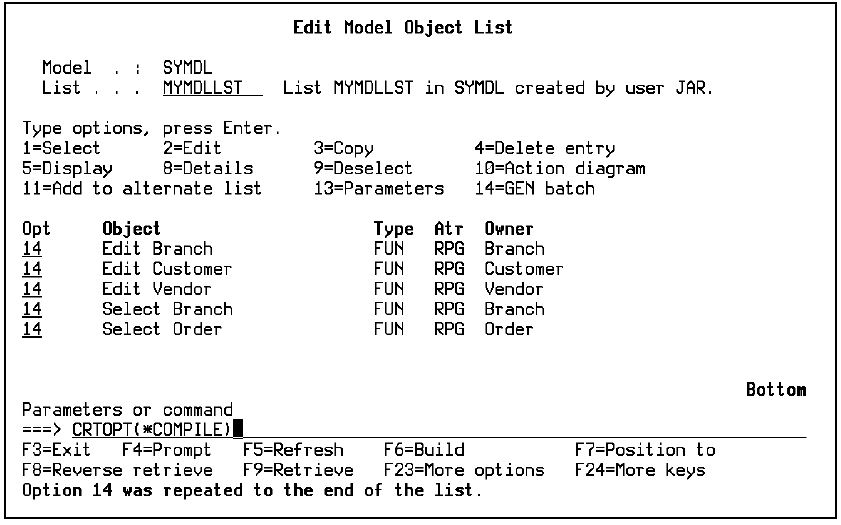
Suppose the functions contained in the MYMDLLST model object list have generated successfully and just require compilation. Create a job list entry for each model object using selection option 14, which invokes the YCRTJOBLE command.
Note: You can press F5 to undo the repeat action.
Type the CRTOPT(*COMPILE) parameter on the command line as shown to indicate compilation only.
Press F19 to display a list of job list commands and to submit the job list for compilation in batch.
|
Copyright © 2014 CA.
All rights reserved.
|
|