

This example uses the "/" selection option to merge model list entries with a command not associated with a subfile selection option. This option serves as a temporary user-defined selection option.
Suppose you want to view the model object descriptions for the owners of one or more model objects. To do so you will use the Display Model Object Description (YDSPMDLOD) command.
Type YDSPMDLOD OBJSGT(@YW) on the command line. Note that @YW is a substitution variable that specifies the surrogate number of the owner for each of the selected model objects.
For more information on substitution variables, see the Performing User-Defined Actions on Model List Entries section in this chapter.
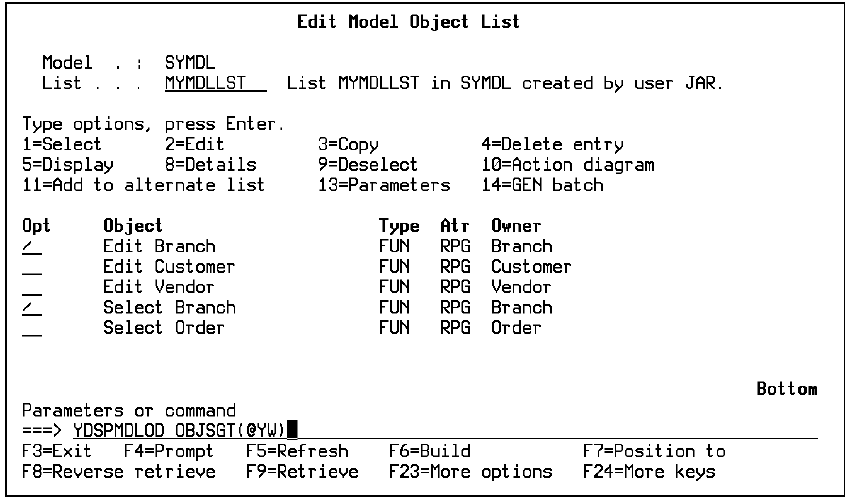
The model object description for the owners of the selected model objects will be displayed one at a time. In this example, the model object description for the Customer file and the Branch file are displayed.
|
Copyright © 2014 CA.
All rights reserved.
|
|