

You have now updated the device design to meet the initial requirements. However, by default, CA 2E defines all input-capable fields as required entry fields. To allow the end user to enter race entries without specifying all the details about those entries, you can make some of the fields optional. Note that only non-key fields can be optional.
To make some of the fields in the RACE ENTRY file optional, position the cursor on a field in the first subfile record.
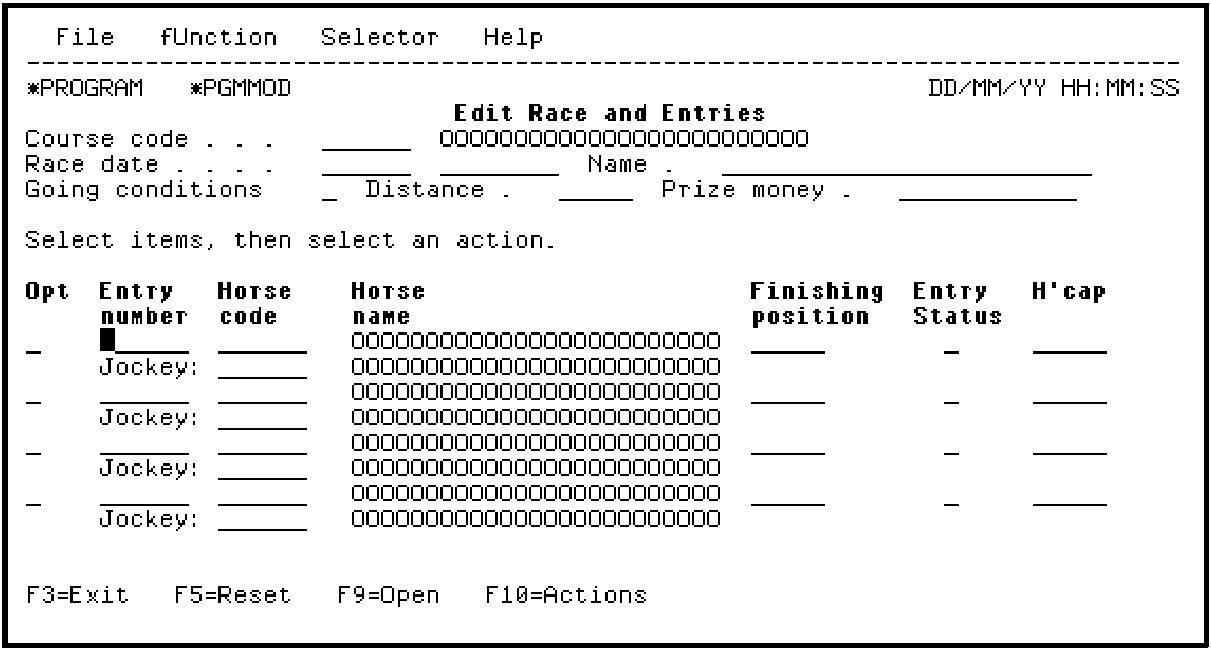
Press F7.
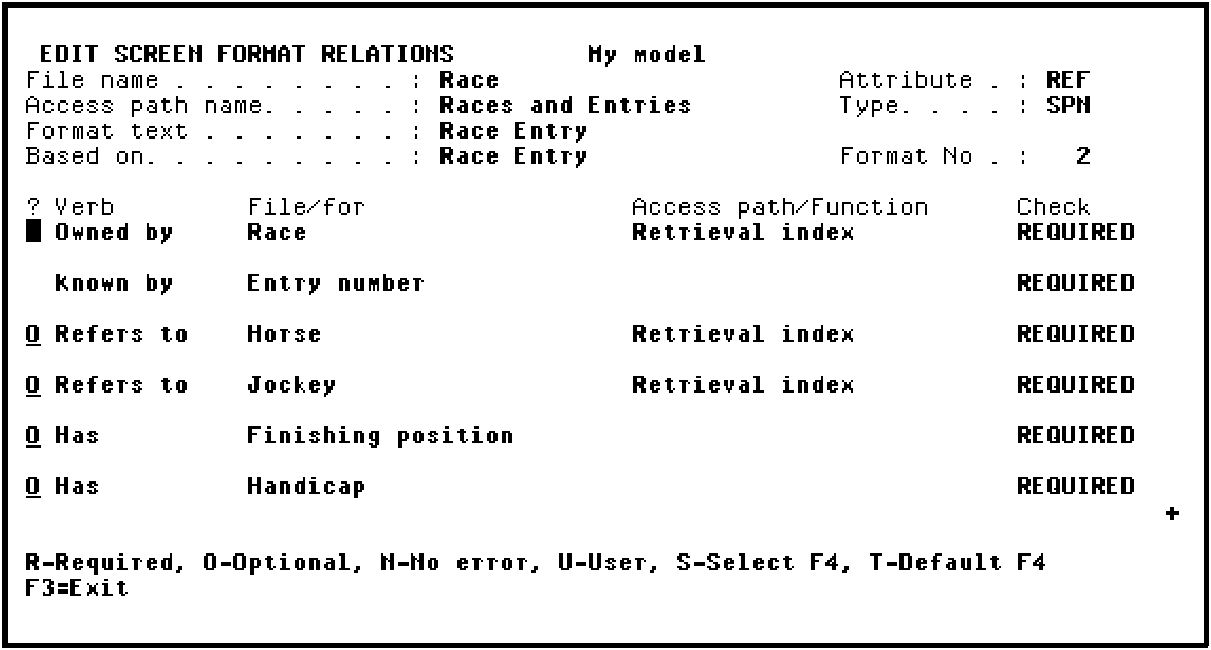
This displays the relations for the subfile record format. You specify optional relations by typing O against the relations.
Type O against the relations.
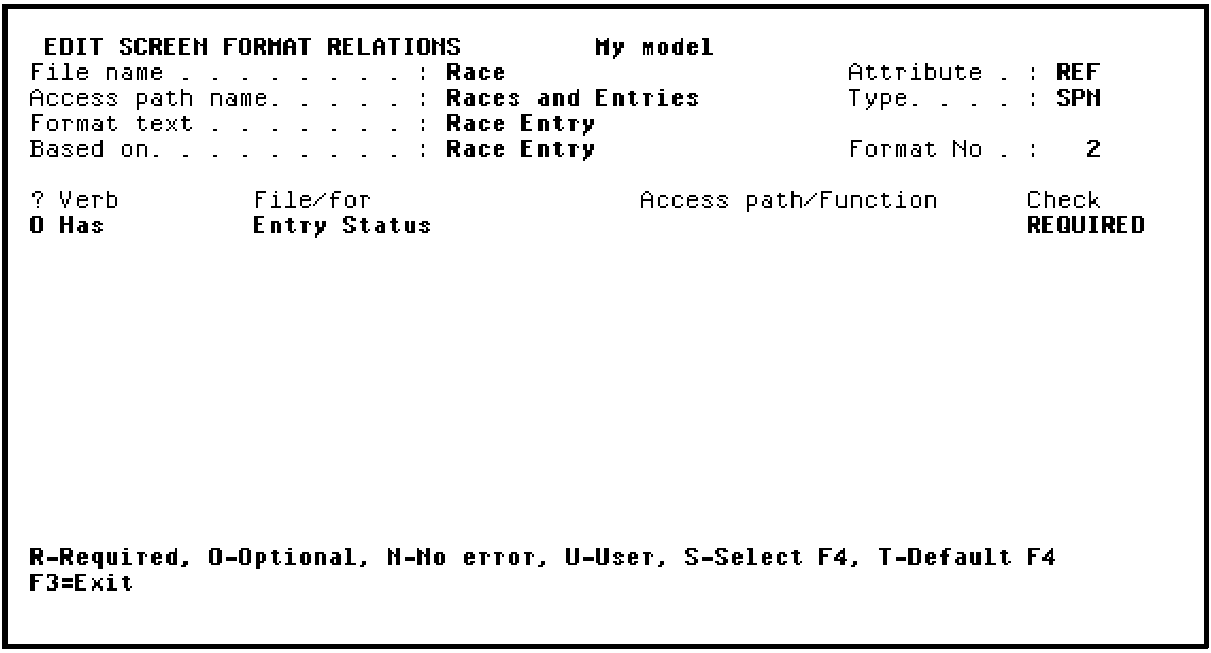
Press Roll Up to view the remaining relations listed. Type O against the relation.
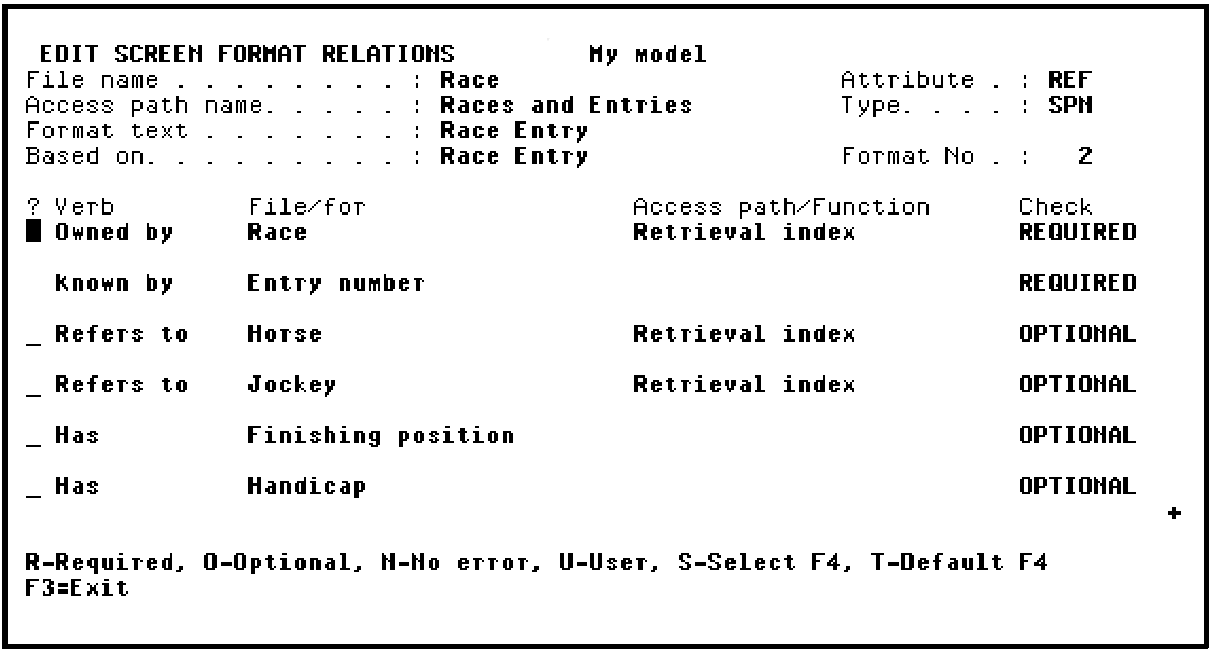
Press Enter to confirm the changes to the format relations. Note that the values in the Check column changed from REQUIRED to OPTIONAL.
Press Roll Down to view the beginning of the list of relations.
Press F3 return to the device design.
|
Copyright © 2014 CA Technologies.
All rights reserved.
|
|