

Update this default device design to look like the one shown on the next panel. Use the function keys you used to edit the device design for the Edit Horse and Select Horse functions earlier in this tutorial.
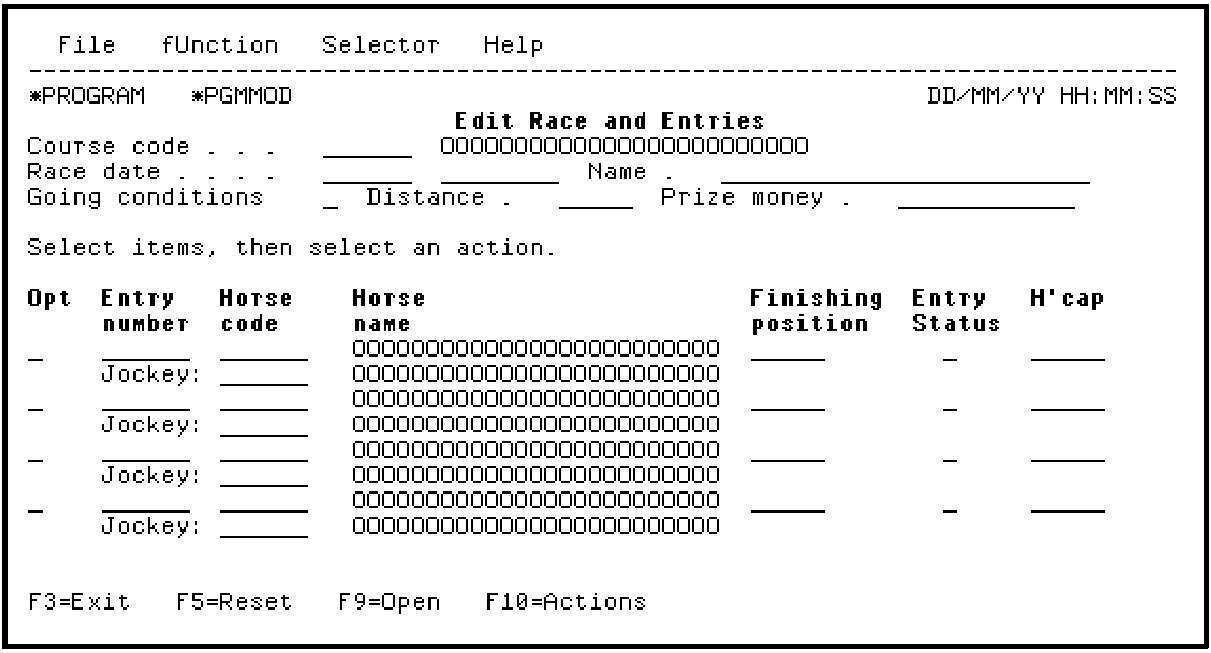
Note: To move a field to another position on the panel, place the cursor on the field to be moved and press F8. Position the cursor on the field that appears before the desired position for the field you are moving. Press F8. For example, place the cursor on the Finishing position field, and press F8. Then position the cursor on the Horse name field, and press F8 again. This moves the Finishing position field after Horse name.
|
Copyright © 2014 CA Technologies.
All rights reserved.
|
|