

In this step you will zoom into the Race Entry access path format to check its key.
Type Z against the Race Entry access path format.
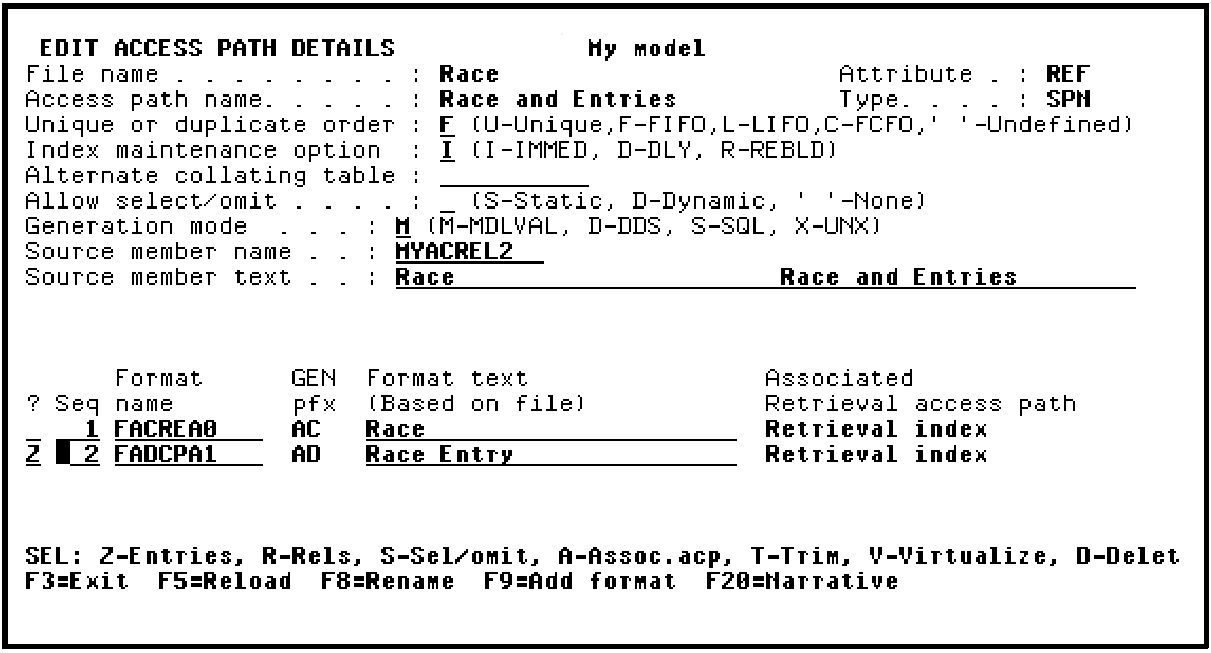
Press Enter.
The keys Course code, Race date, Race time, and Entry number have been selected by default to be the keys of the format since these are the keys as defined by the file relations for the RACE ENTRY file.
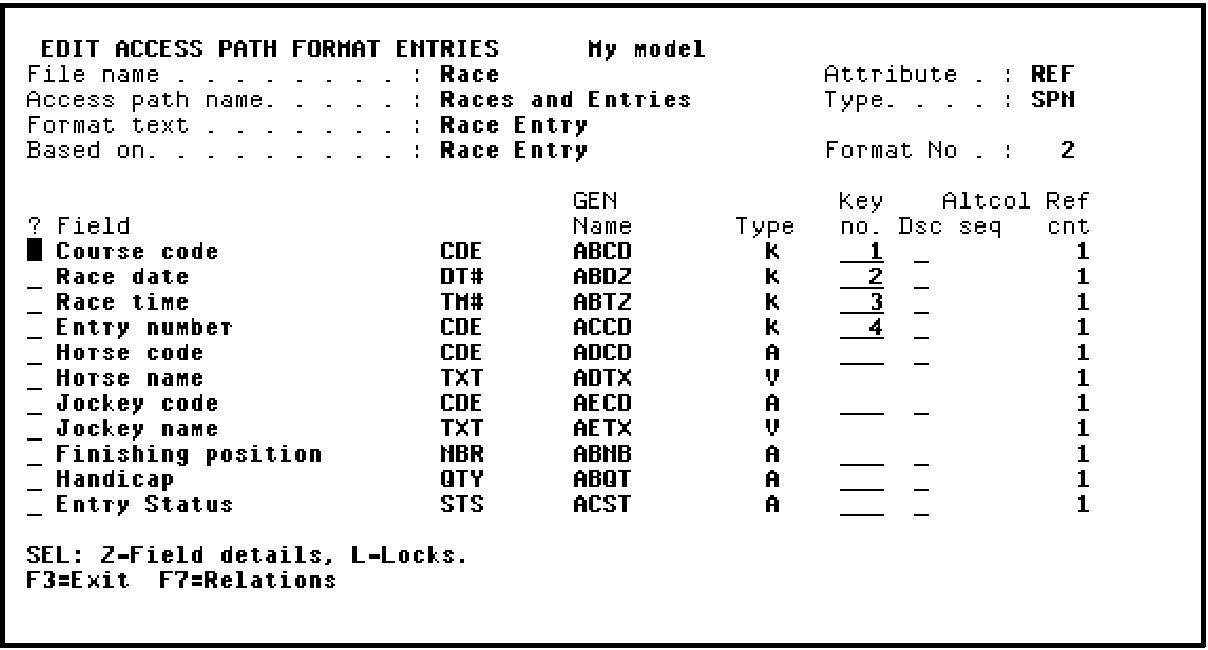
Press Enter to confirm the keys.
Press F13 to exit and return to the Edit File Details panel.
|
Copyright © 2014 CA Technologies.
All rights reserved.
|
|