

The next step is to check the keys of the Race access path format. You may specify any of the fields from the RACE file as keys, in either ascending or descending order. However, there must be a common key between the two formats. For example, the header record key fields must be part of the detail record’s key.
The keys will be defaulted to the keys as specified by the file relations. In the case of two files linked by an Owned by relation, the default keys are recommended. If the two file formats are linked by a Refers to relation, you need to change the key order.
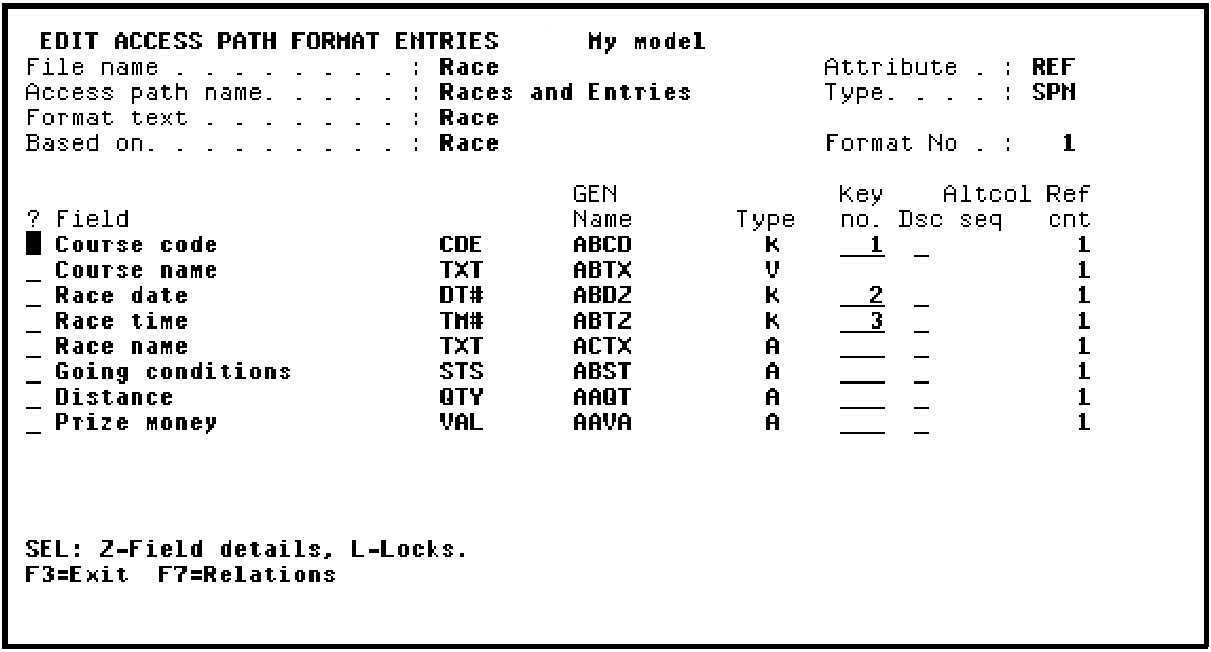
Because in this example, RACE ENTRY is Owned by RACE, press Enter to accept the defaults.
Press F3 to exit and return to the Edit Access Path Details panel.
|
Copyright © 2014 CA Technologies.
All rights reserved.
|
|