

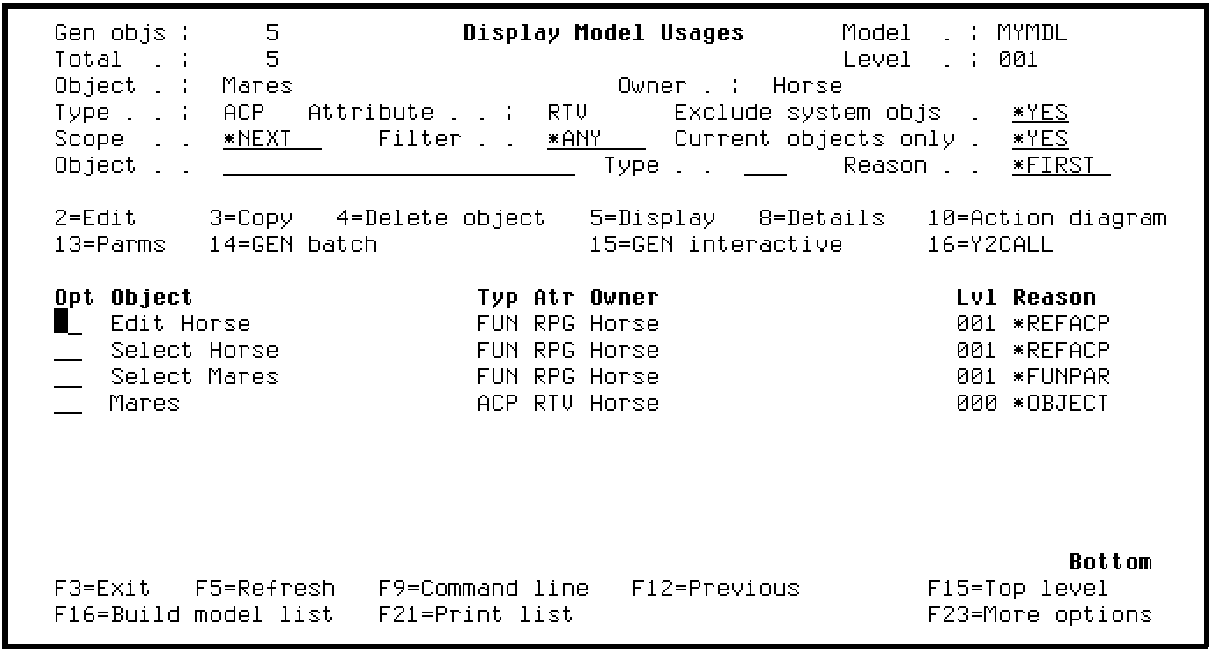
When all usages have been expanded, the Display Model Usages panel displays showing the first level of objects in the model that use the Mares access path. Notice the 001 in the Lvl column for each using object; this indicates that the object uses the Mares access path directly.
The Display Model Usages panel provides a variety of controls and filters including, recursion, scope, and positioning to help you analyze your model to determine the impact of proposed changes.
Note: Most of the options provided on the Display Model Usages panel are beyond the scope of this tutorial. However, you can use the online help if you would like to experiment further. Or, you can refer to the CA 2E guide, Generating and Implementing Applications.
|
Copyright © 2014 CA Technologies.
All rights reserved.
|
|