

Next specify a parameter for the message function in order to include the name of the horse in the message. Type P as shown in the Subfile selector.
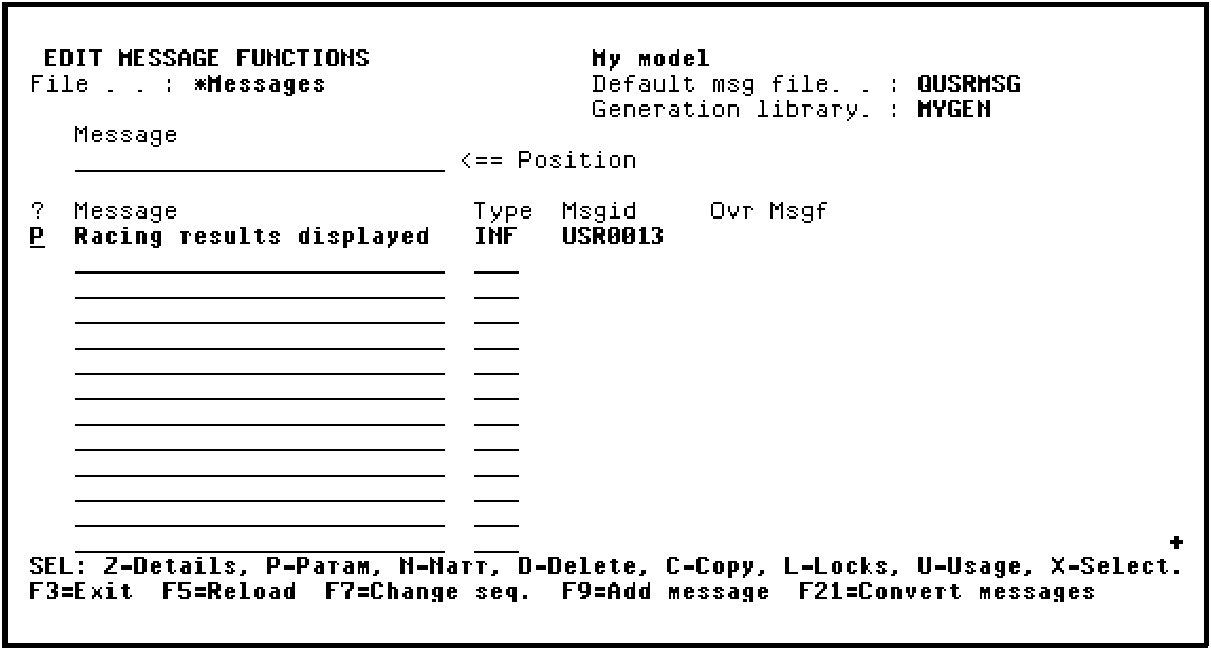
Press Enter.
You need to specify that the Horse name field is to be a parameter for the message function. As a result, type *FIELD to indicate the parameter is a field, type Horse name as the field name, and type FLD in the Passed as column.
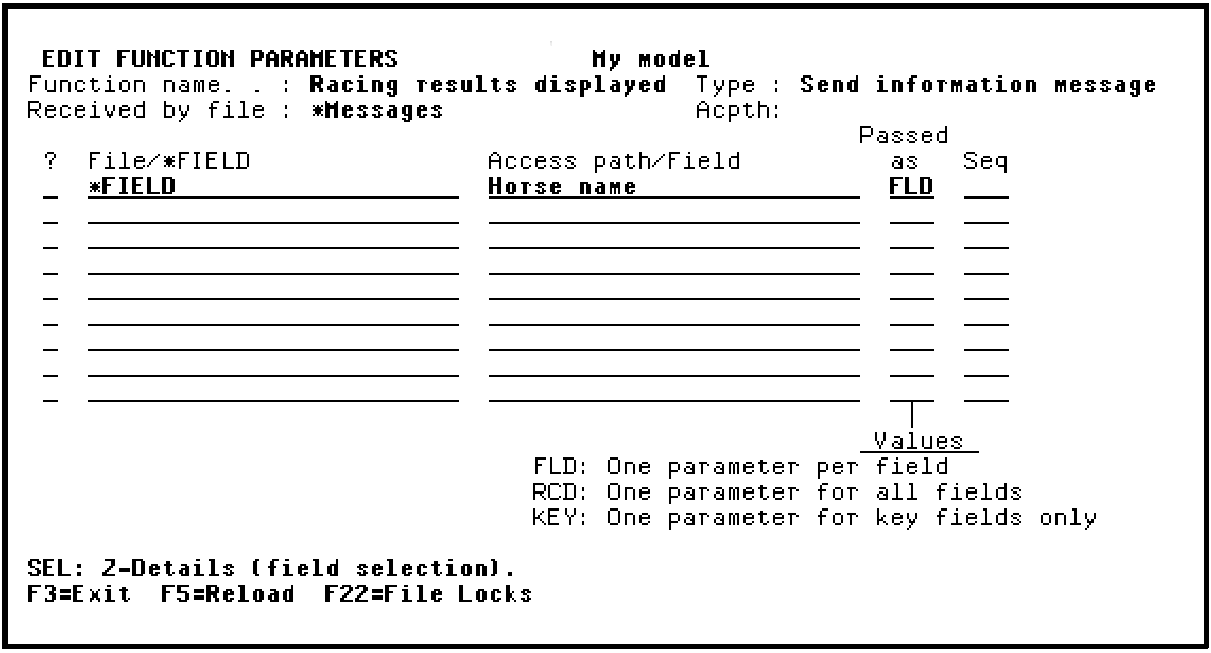
Press Enter.
Press F3 to return to the Edit Message Functions panel.
|
Copyright © 2014 CA Technologies.
All rights reserved.
|
|