

The prompt panel for the Create Model Version (YCRTMDLVSN) command displays. By default,CA 2E automatically generates a name for the version based on the name of the original function. The automatically generated name consists of the original function name followed by seven digits to ensure uniqueness; for example, Edit Horse1101481. In addition, by default, the original function retains its name and remains current (active).
In this example, you will specify a version name and accept the other defaults. Type Edit Horse - Version 1 in the To model object name field.
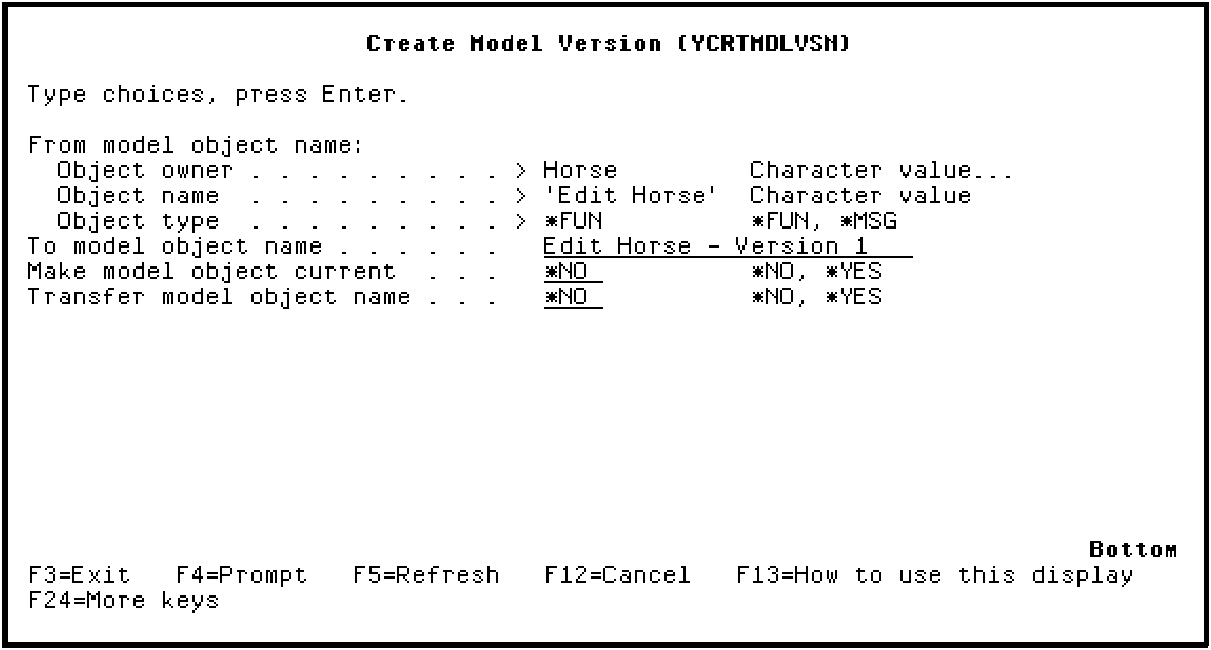
Press Enter. Note the messages at the bottom of the panel as CA 2E creates the new version.
|
Copyright © 2014 CA Technologies.
All rights reserved.
|
|