

The Work with Versions panel provides a set of options for working with a group of versions. Use it to perform tasks on versions, such as,
The versions are displayed on this panel in reverse chronological order; in other words, the most recently created version appears at the top of the list of entries. The current version is shown highlighted with an * to the right of the Subfile selector, and the Status column contains the word Current. Since you have not yet created versions for Edit Horse, only one entry is listed.
To create a new version for the Edit Horse function, type 3 in the Subfile selector.
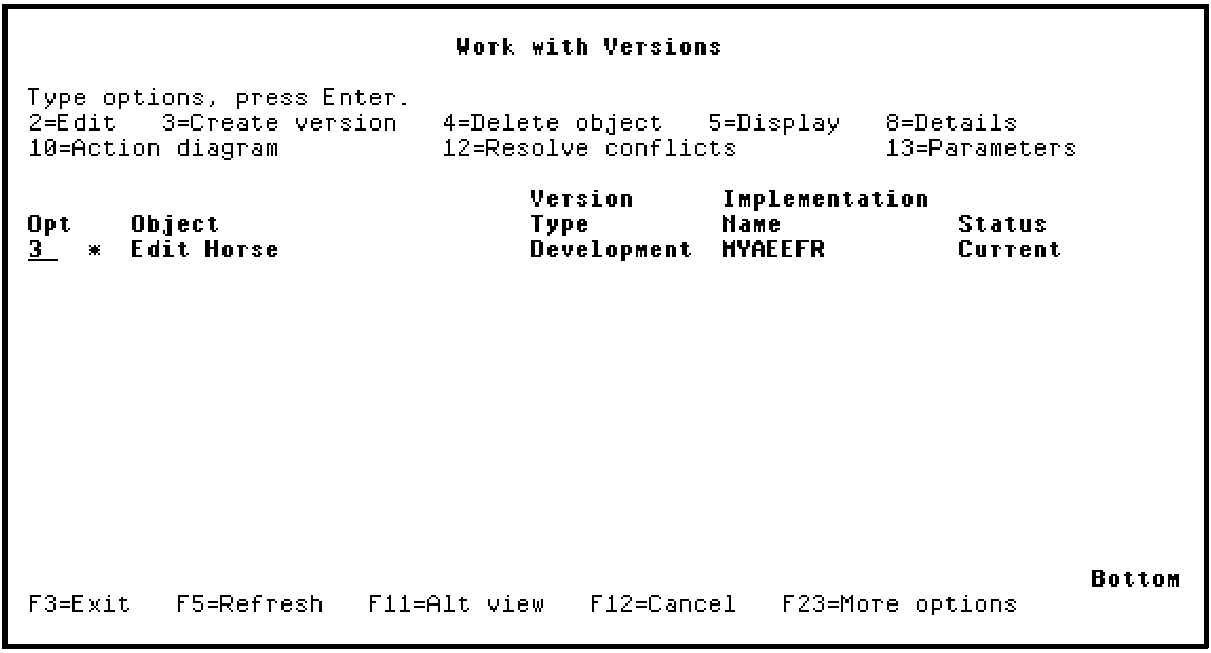
Press Enter.
|
Copyright © 2014 CA Technologies.
All rights reserved.
|
|