

Suppose you want to work with each of the Select Record functions on your model list; for example, to edit their device designs or action diagrams. Press F23 three times to view additional Subfile selector options. Option 30 lets you open several functions at once.
Type 30 in the Subfile selector of the first function displayed, Select Course.
Next, press F24 to view additional command keys. The F13 command key automatically repeats the Subfile selector option you entered for all following subfile records to the end of the list.
Press F13 to repeat option 30 for each function displayed.
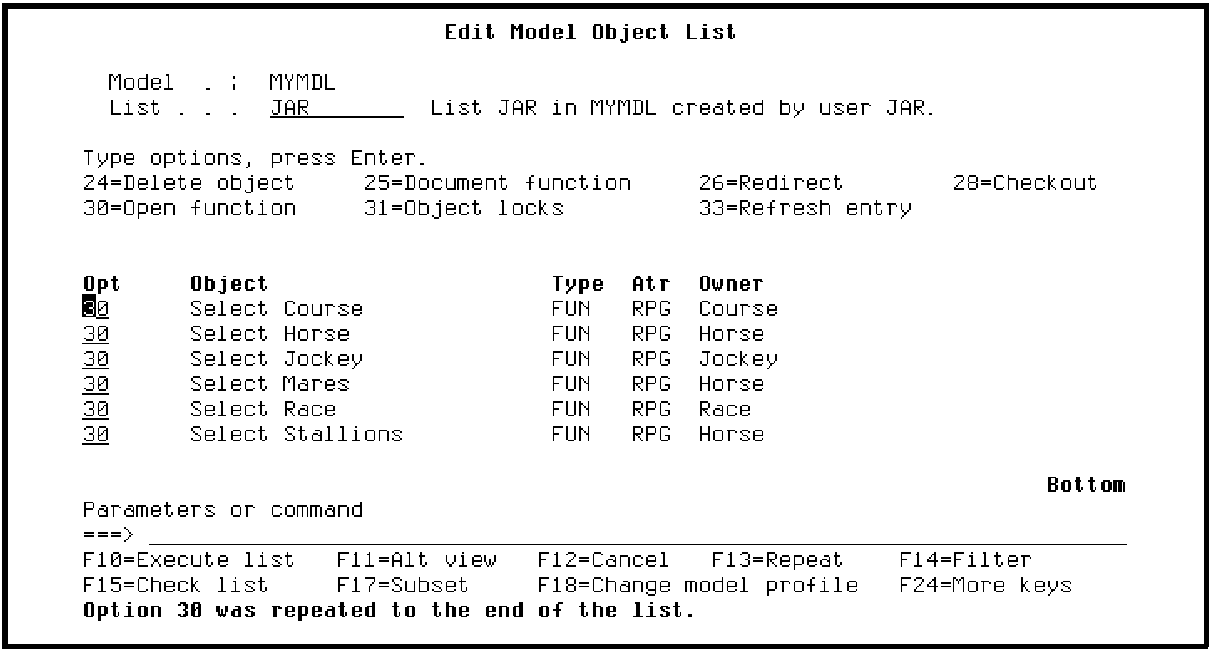
A message at the bottom of the screen tells you that the option was repeated to the end of the model list.
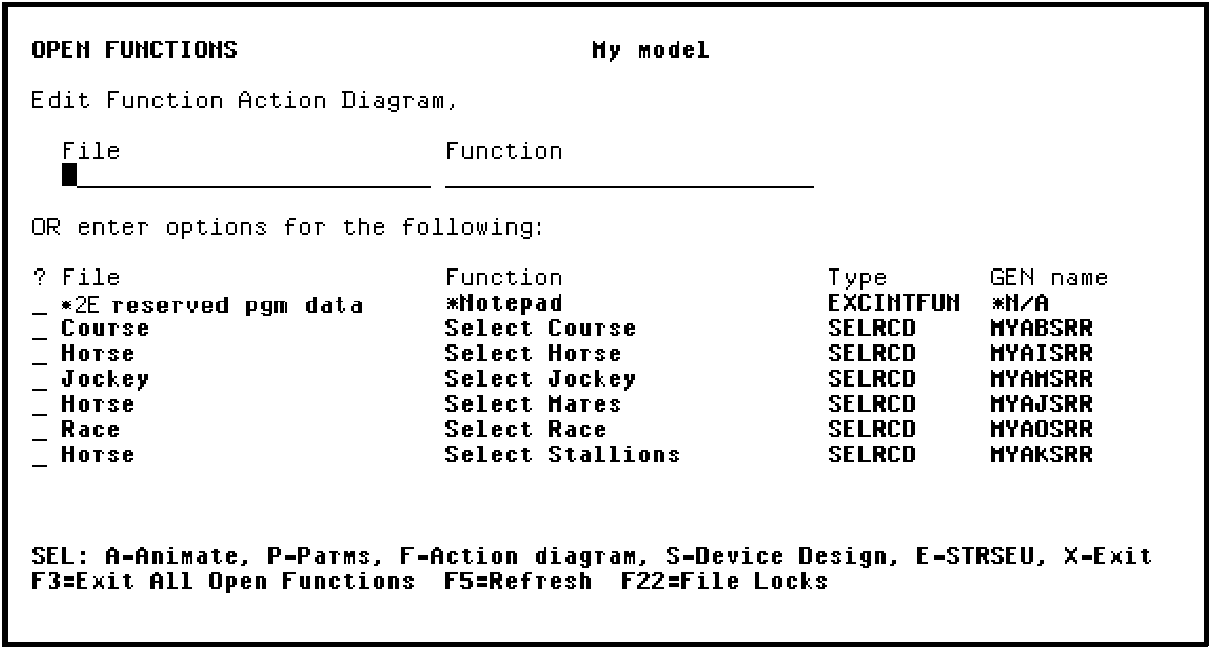
Press Enter to open each of the selected functions. The functions are added to the Open Functions panel.
|
Copyright © 2014 CA Technologies.
All rights reserved.
|
|