

Press Roll Up until you see the list entry for Dam Horse name. Note the number 8 to the right of the Subfile selector. This indicates that information for the list entry on your session list differs from that of the actual model object that the list entry represents. Recall that earlier in the tutorial, you changed the name of this field from Dam Horse name to Dam name.
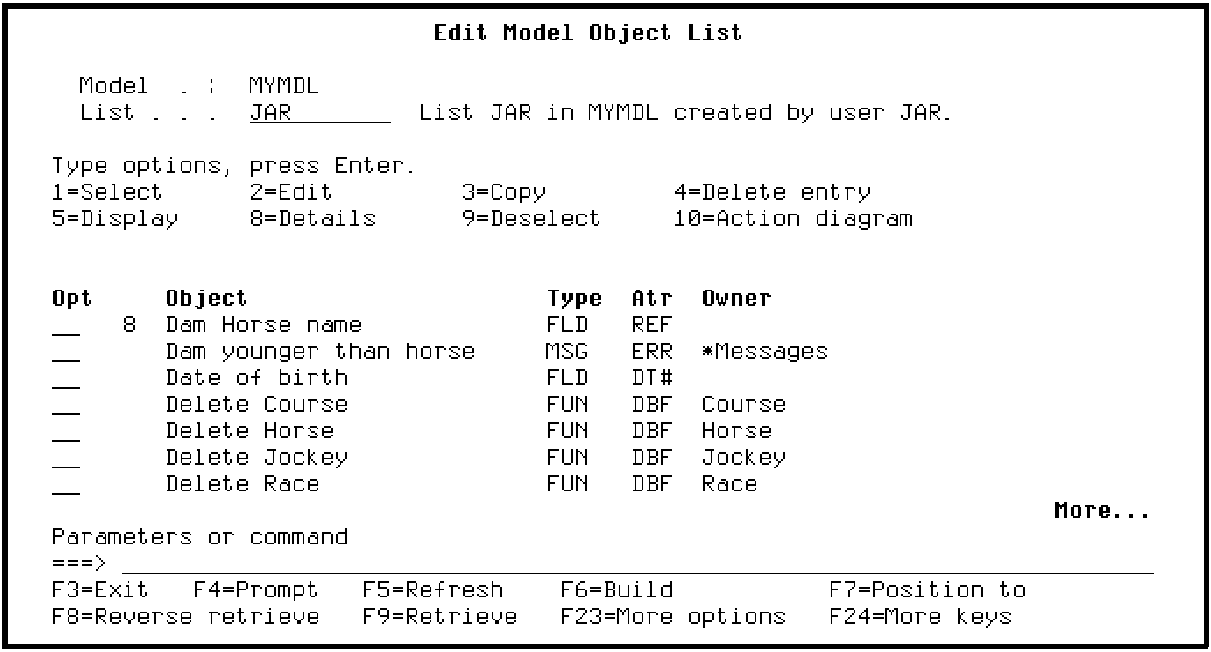
Note: CA 2E allows this difference to occur so you can use your model object list as a historical record.
You can update the model object list entry to reflect the current information for the actual model object. To do so, type 33 for the Subfile selector for Dam Horse name.
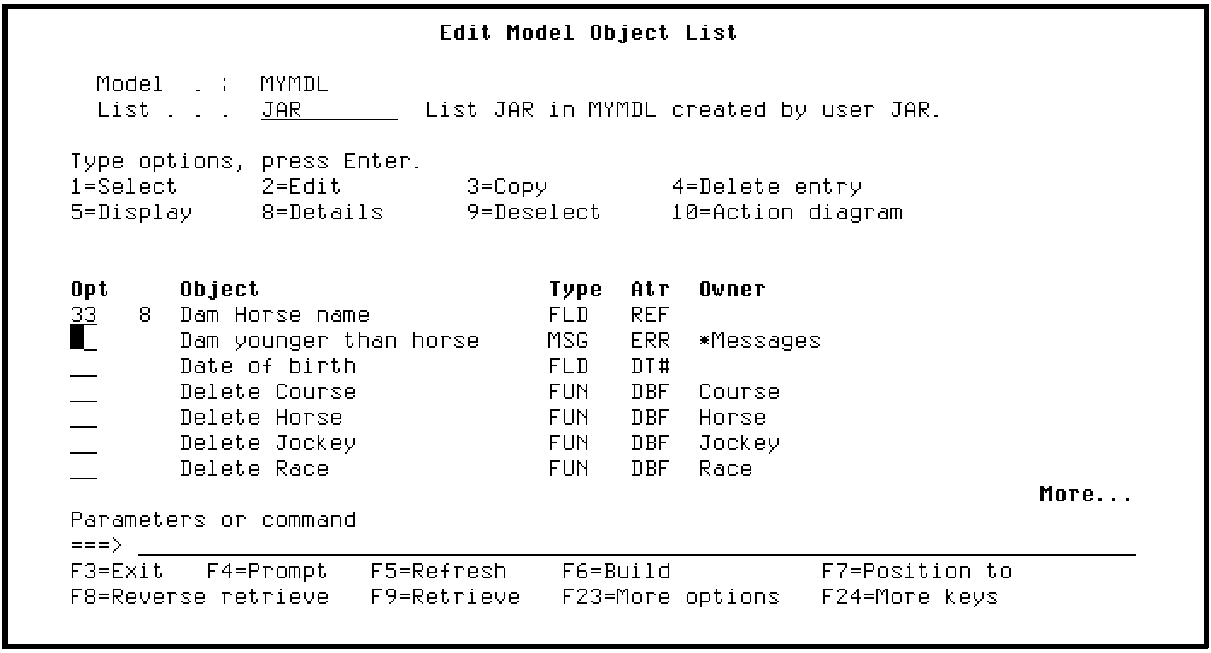
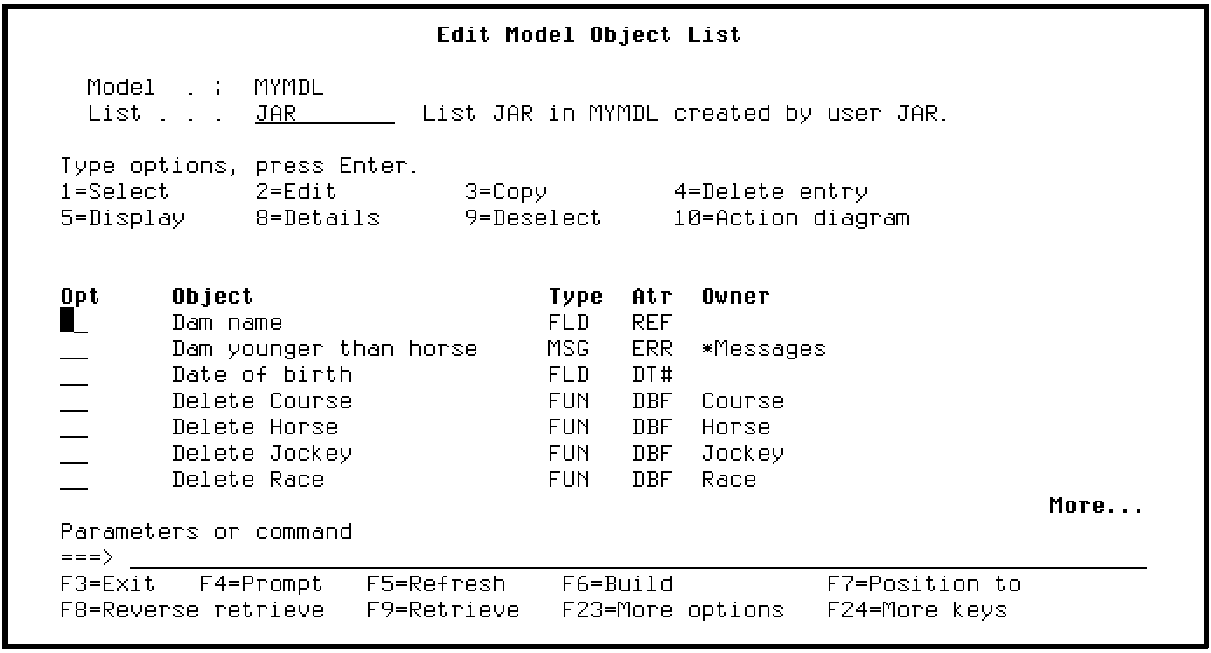
Press Enter. The list entry is updated from the detail information for the actual model object. In this case, the name of the list entry changes to match the name of the model object it represents.
|
Copyright © 2014 CA Technologies.
All rights reserved.
|
|