

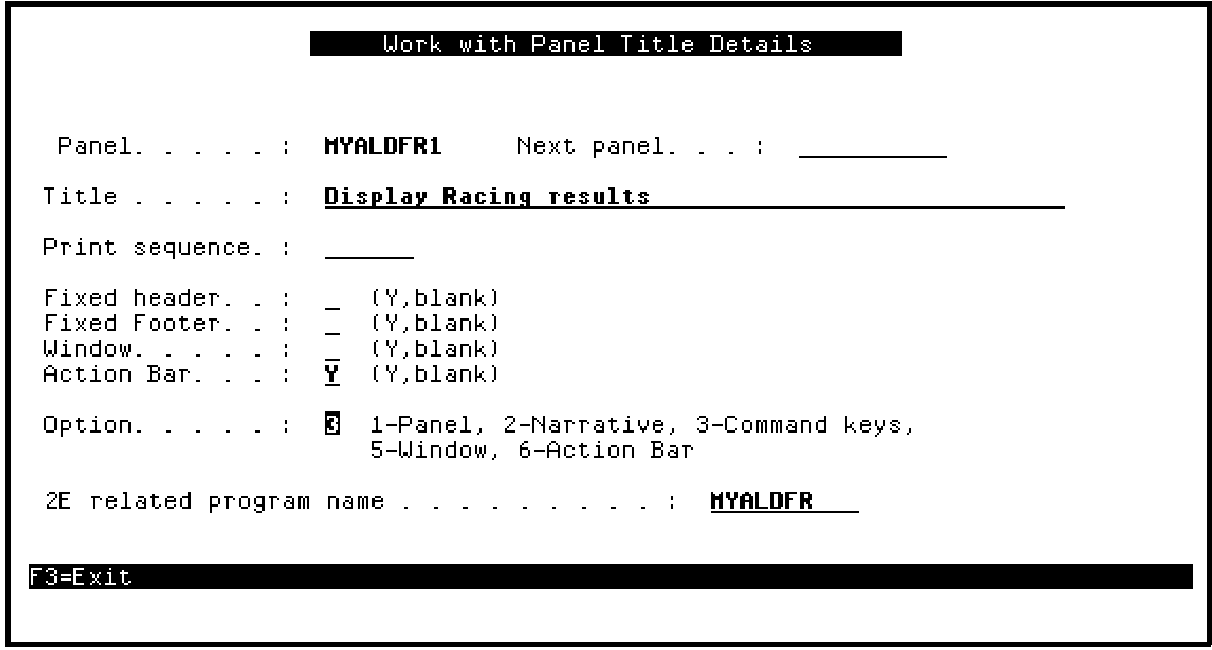
The Toolkit Work with Panel Titles panel displays. You can use this panel to edit the Toolkit panel design, including the panel layout, command keys, and action bar. Note the following on this panel.
The CA 2E related program name at the bottom of the panel; in this case, MYALDFR. This is the program implementation name of the CA 2E function corresponding to this Toolkit panel design. It serves as the link back to the CA 2E function. If the function is not already open on return to CA 2E, it is automatically added to the Open Functions panel before its device design is displayed.
The name of the panel design; in this case, MYALDFR1. By default this is the CA 2E program implementation name followed by 1. You will need this name when you set up the link in the Edit Horse Toolkit panel design.
Because you requested that command key navigation be replaced during the conversion, type 3 for the Option field as shown to view the results of the command key conversion.
|
Copyright © 2014 CA Technologies.
All rights reserved.
|
|