

Press F9 to switch to Open mode to view the records you just added to the database.
Now that you have several horses in your database, you can make them parents. Type the details of the Dam and Sire of Pegasus.
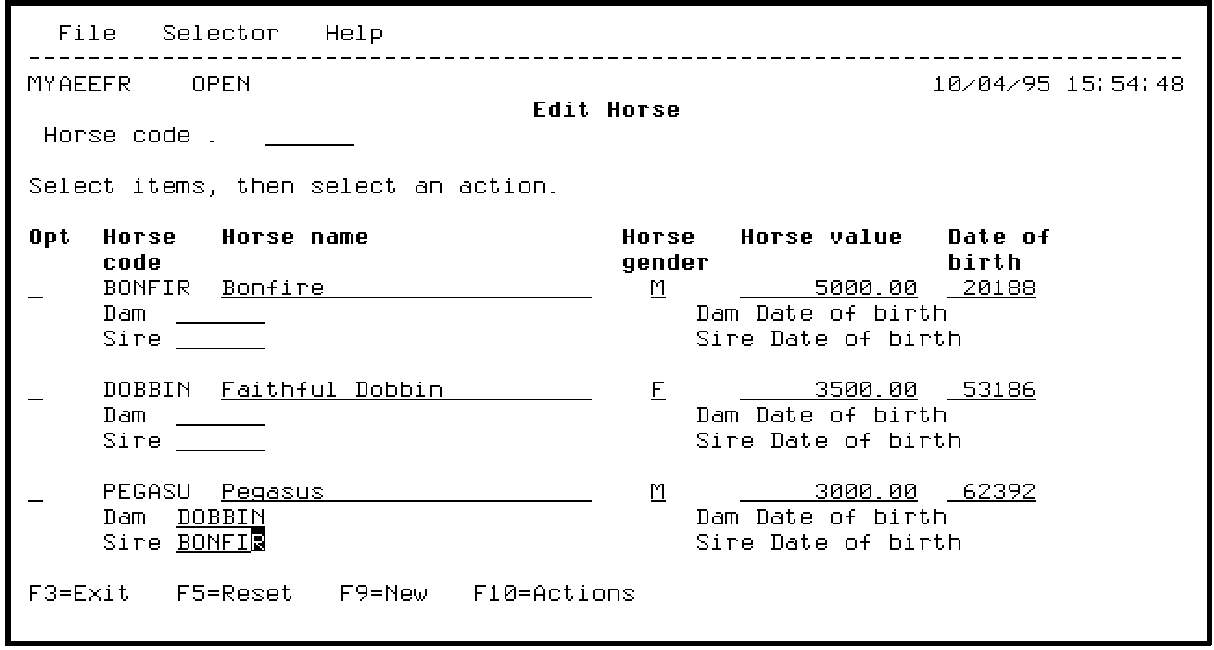
Press Enter to retrieve the values for the four virtual fields you added, Dam name, Sire name, Dam Date of birth, and Sire Date of birth.
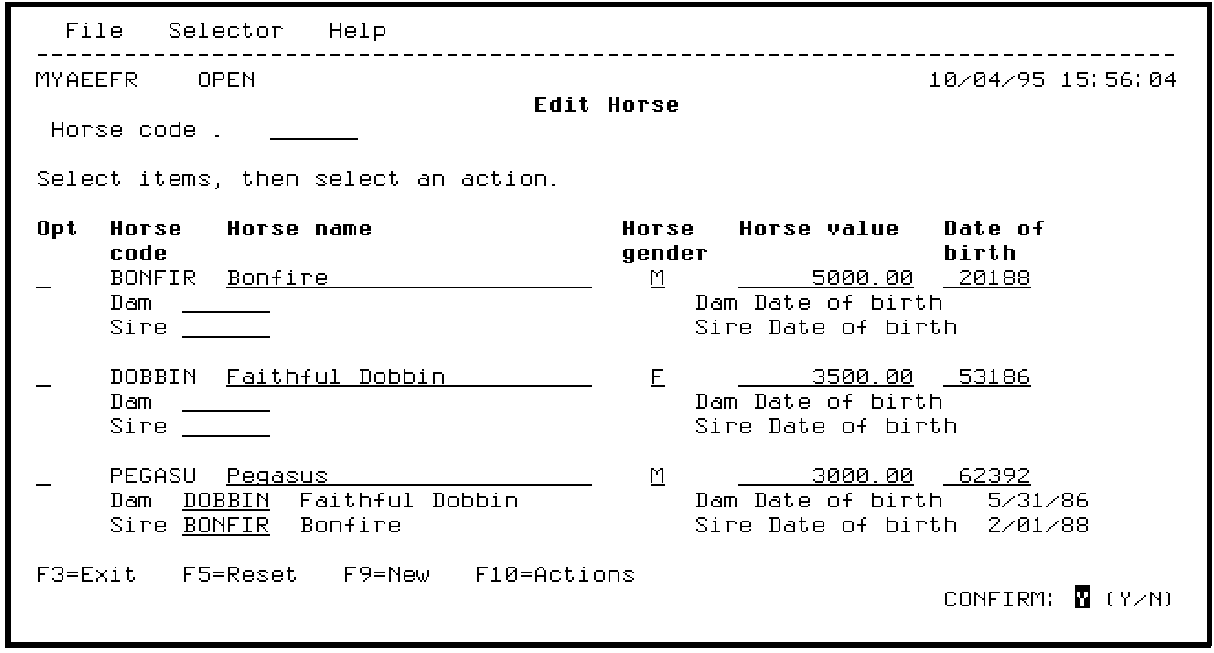
Press Enter to accept the default value of Y for the Confirm prompt.
|
Copyright © 2014 CA Technologies.
All rights reserved.
|
|