

Before calling your program, you must convert the values that are entered into status fields using the Convert Condition Values (YCVTCNDVAL) command. This command moves the values you defined for status fields from the model library to the condition values list database file in the generation library.
When you convert condition values to a database file, you give end users the capability to prompt for valid condition values when they use the application. Horse gender is an example of a status field. In this case, the end user will be able to prompt the application and display a list of valid values for Horse gender, namely, M and F.
You can run the YCVTCNDVAL command to convert the condition values to a database file using the Convert model data menu, which is an option on the Display Services Menu.
Select the Convert model data menu option.
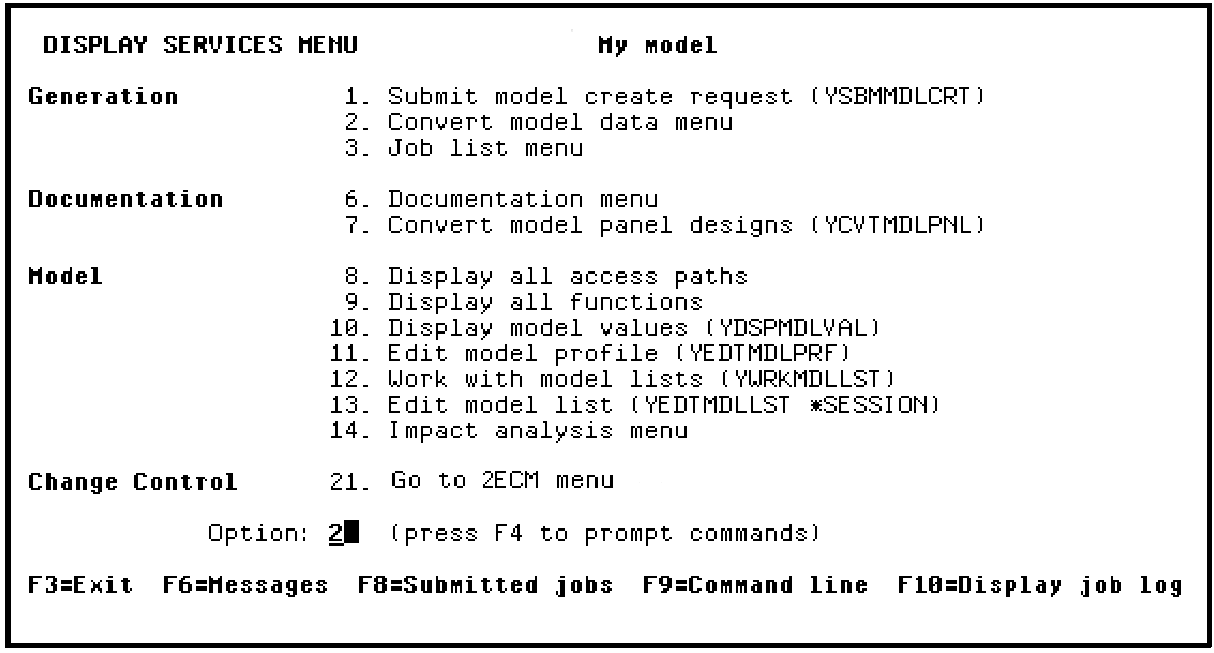
Press Enter.
Select the Convert condition values to database file option.
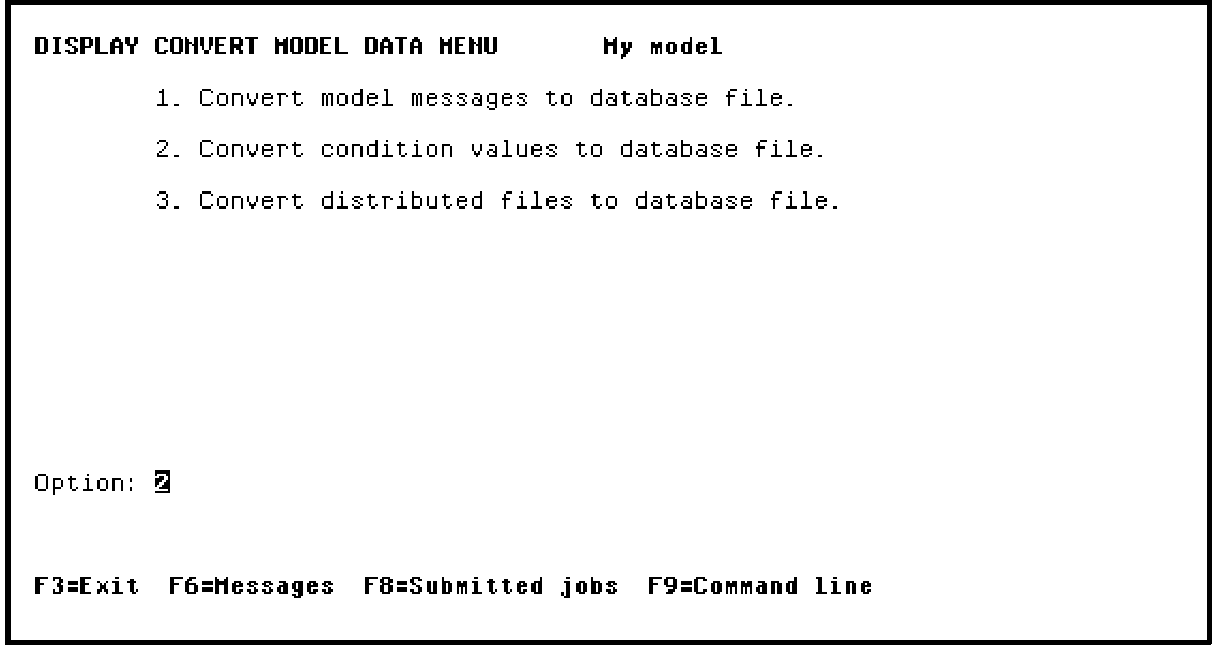
Press Enter to prompt the YCVTCNDVAL command.
|
Copyright © 2014 CA Technologies.
All rights reserved.
|
|