

Once submitted, each item in the list is initially shown with a status of *SBM. As each item in the list is processed, the status in the list is updated as follows.
|
Status |
Description |
|
*GENSRC |
The source member is being generated |
|
*JOBQ |
The source is on the job queue to be compiled |
|
*ACTIVE |
The source is being compiled |
Press F5 to refresh the list and see the latest status.
Once the source members have been successfully compiled, they are removed from the list.
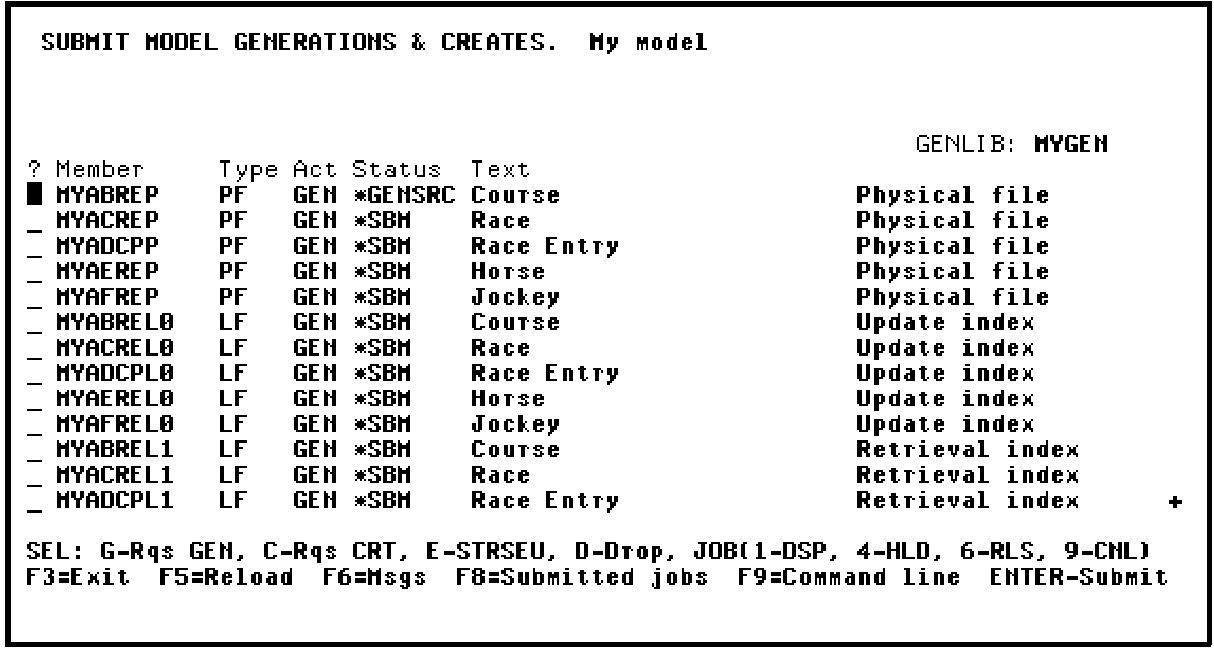
When the compilations have been submitted, press F3 to return to the Display Services Menu. You can check the status of your submitted jobs from the Display Services Menu by pressing F8.
|
Copyright © 2014 CA Technologies.
All rights reserved.
|
|