

You will use the two parameters you just defined as substitution variables within the message text. Substitution variables are indicated by the symbol "&n", where ‘n’ is the number of the parameter. Note the numbers assigned to the two parameters in the No. column.
Add the text "(&1 before &2)" to indicate that the date of birth of the horse is prior or equal to the date of birth of the dam.
When the message appears on the panel, the value contained in that field will be substituted in the message text. For example, the resulting message might read: "Dam younger than horse (10185 before 11294)." Substitution variables help the end user understand which fields are in error.
Type the new text containing the substitution variables, "(&1 before &2)", after the default message text.
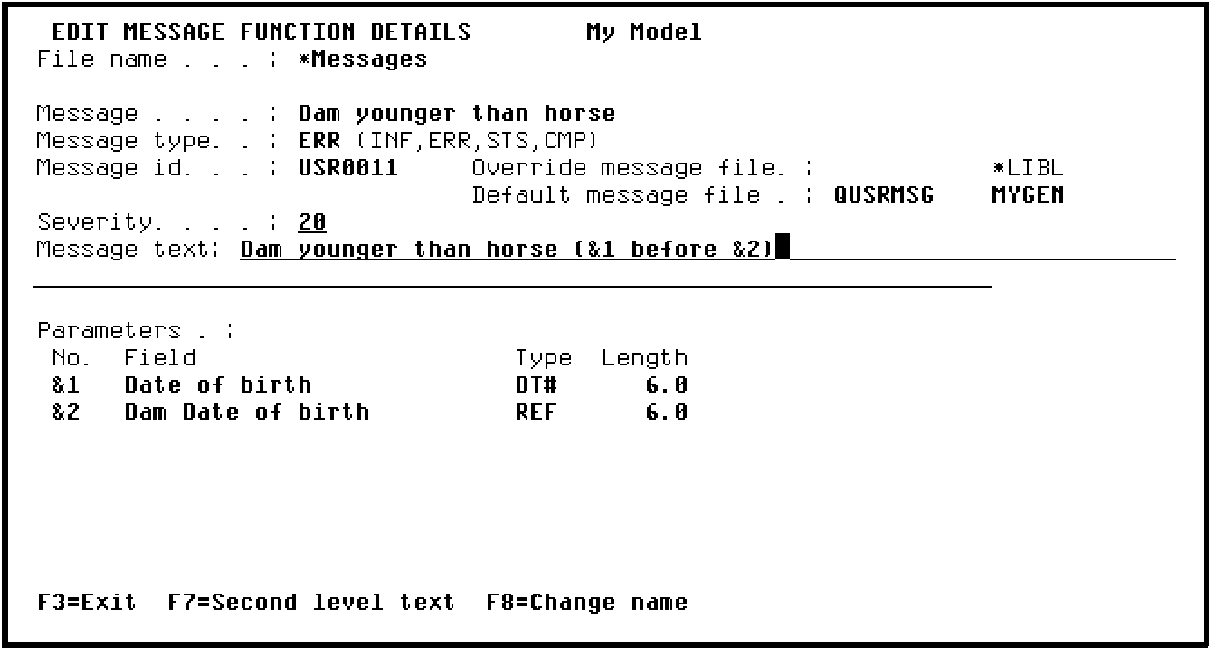
Press Enter to return to the Edit Message Functions panel.
|
Copyright © 2014 CA Technologies.
All rights reserved.
|
|