

When the Edit Horse function is implemented, the program automatically includes code to check the validity of each input capable field on the subfile record. By default, every relation must be satisfied. This will cause the resulting application to check the HORSE file when the end user specifies a Dam Code. The Dam code must be that of a valid female horse. This presents a potential problem. When the end user adds the first horse to the application, it will be rejected. This is because there are no horses existing on the file at that time that are available as parents (Dam or Sire).
To overcome this problem, you can override the default check values for the panel format relations and make the validation of particular relations optional. When an end user enters a value, it will be validated. However, the end user will not be required to enter a value. This is done using the Edit Screen Format Relations panel.
Place the cursor on any field of the first subfile record.
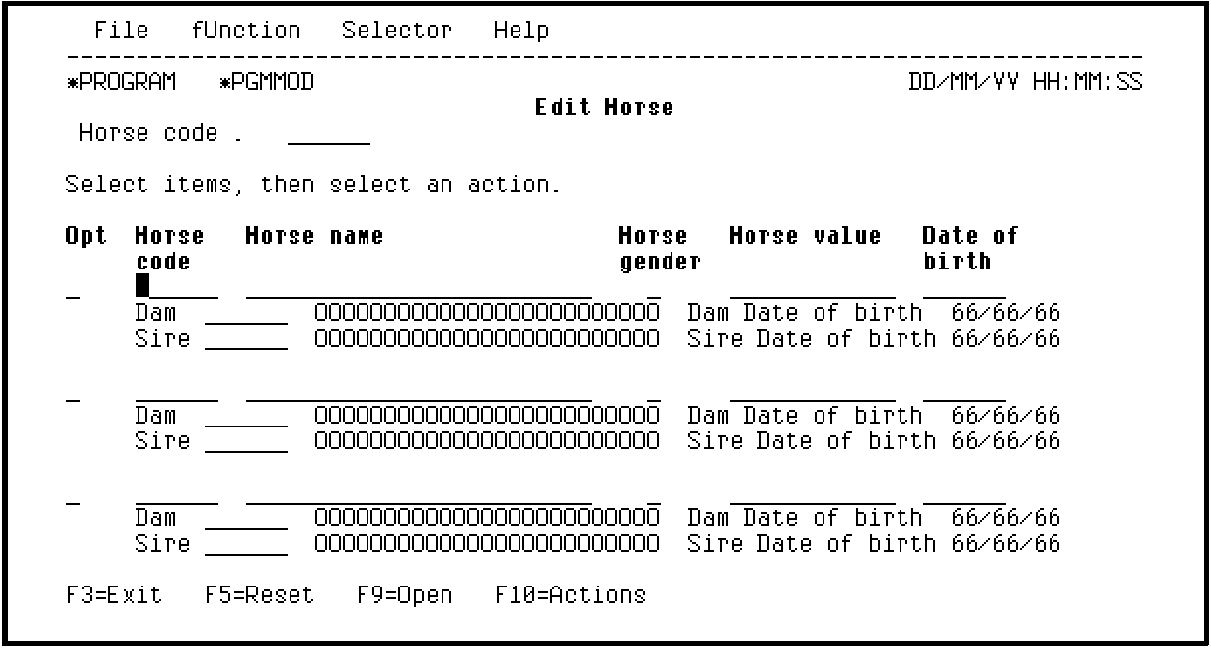
Press F7 to display the Edit Screen Format Relations panel.
|
Copyright © 2014 CA Technologies.
All rights reserved.
|
|