

The above steps will line up the field labels for Dam and Sire. The entry fields can now be aligned by placing the cursor on the Dam field.
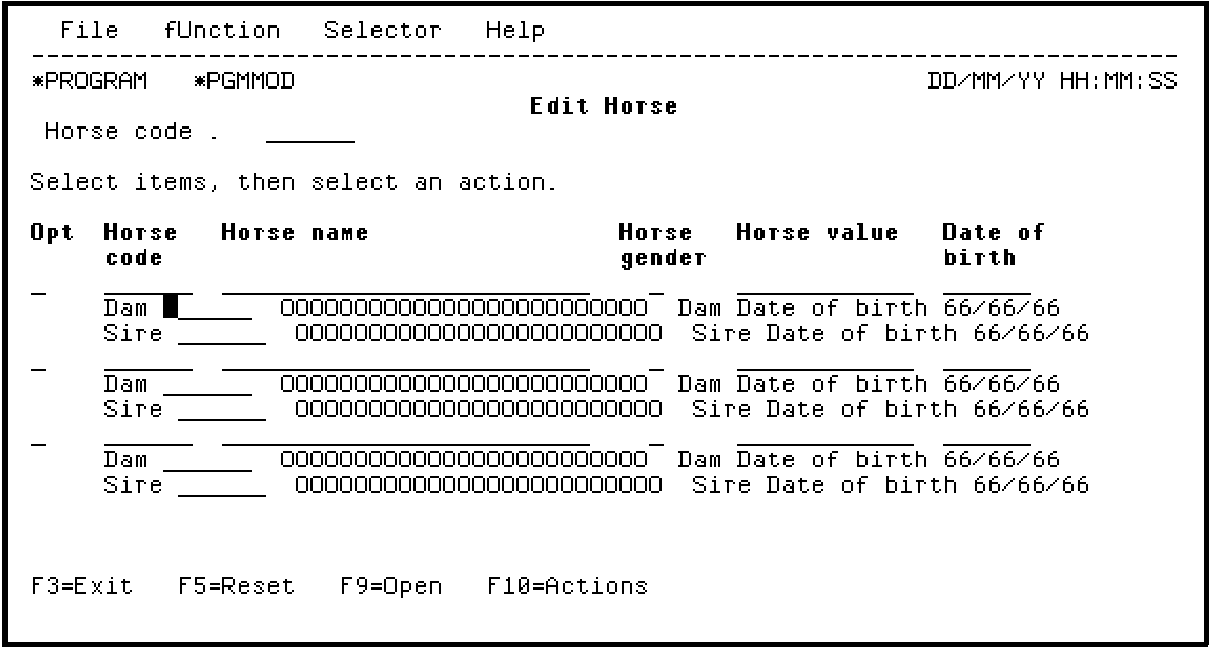
Press Enter.
Change the Label spacing to 1 as shown and press Field Exit.
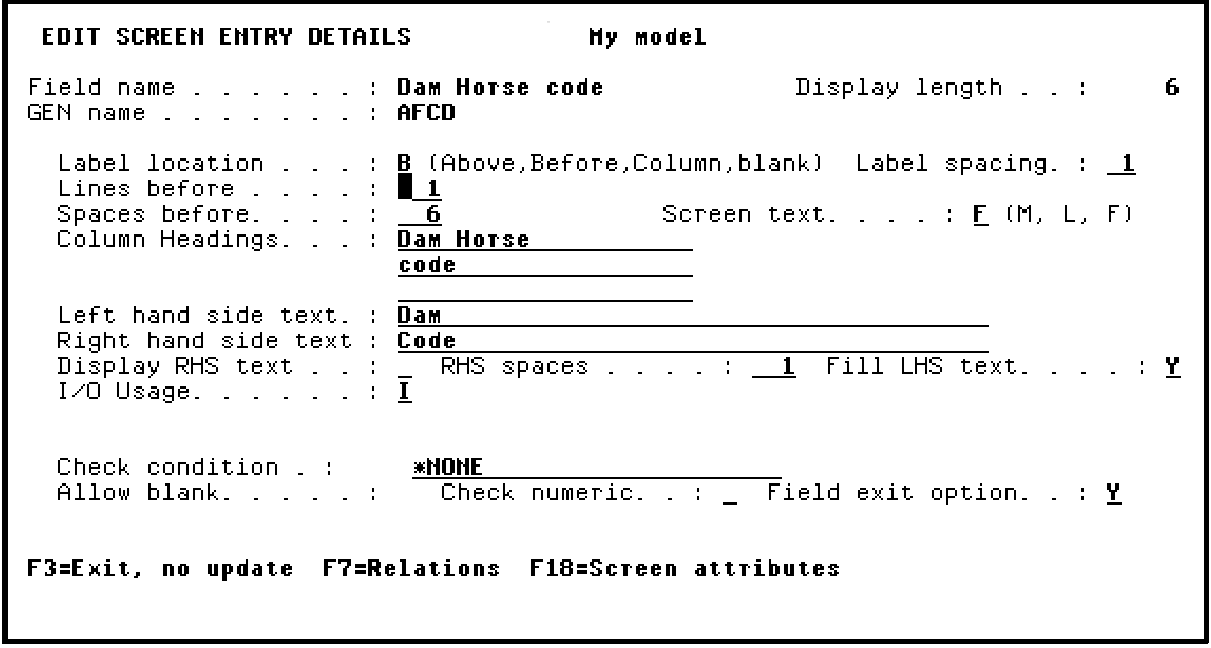
Press Enter.
|
Copyright © 2014 CA Technologies.
All rights reserved.
|
|