

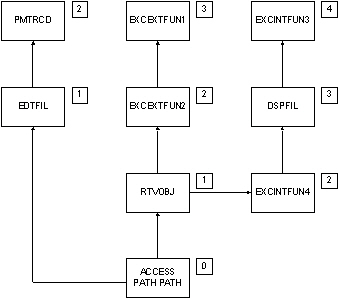
The arrows indicate the usage sequence for the functions that use the access path. The numbers in the small boxes indicate the usage level of each object relative to the access path at level 0.
The following section shows the difference between a private and public change to Access Path.
Suppose you intend to change the source member name for Access Path using the Edit Access Path Details panel. CA 2E considers this to be a private change to Access Path. As a result, CA 2E:
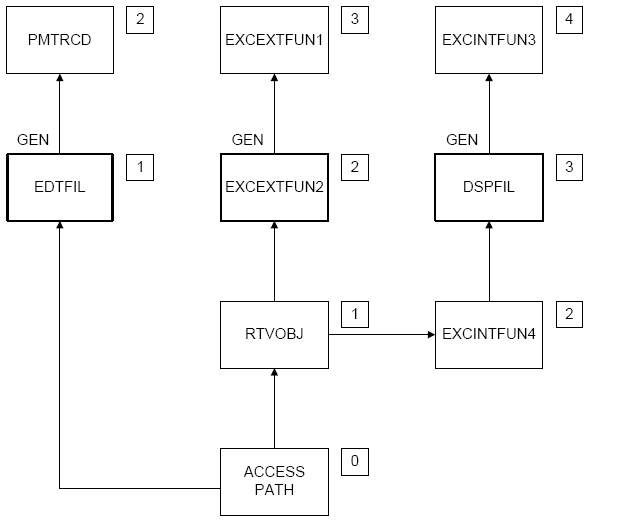
Note: That all usage levels beyond the first external function are ignored; in this case, PMTRCD, EXCEXTFUN 1, and EXCINTFUN 3 are not included in the expansion.
|
Copyright © 2014 CA.
All rights reserved.
|
|