

Pressing F03 from any of the panel design displays causes an exit display to be shown. The exit display allows you to make a controlled exit from the Work with Panel Design program. The design is not updated to the panel design database file until this point.
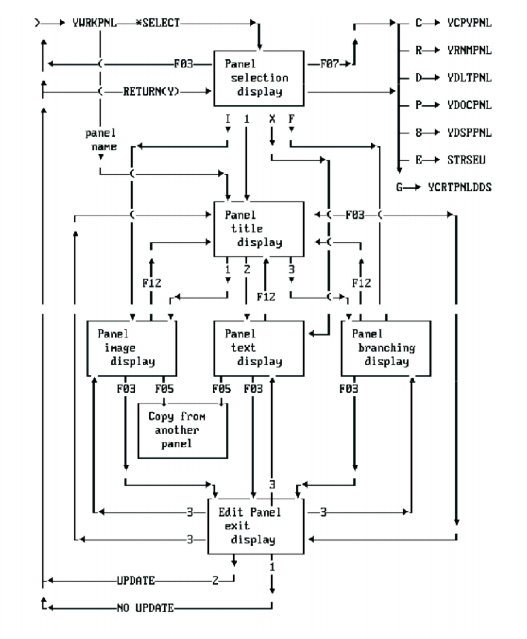
This diagram shows the main interconnections between the displays of the Toolkit program Work with Panel Design.
|
Copyright © 2014 CA.
All rights reserved.
|
|