

|
|
|
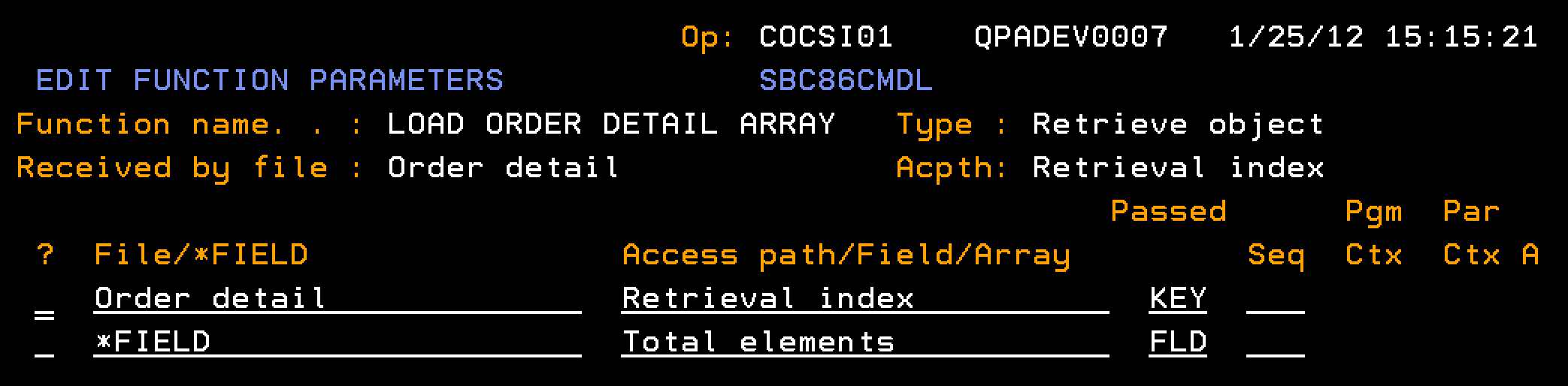
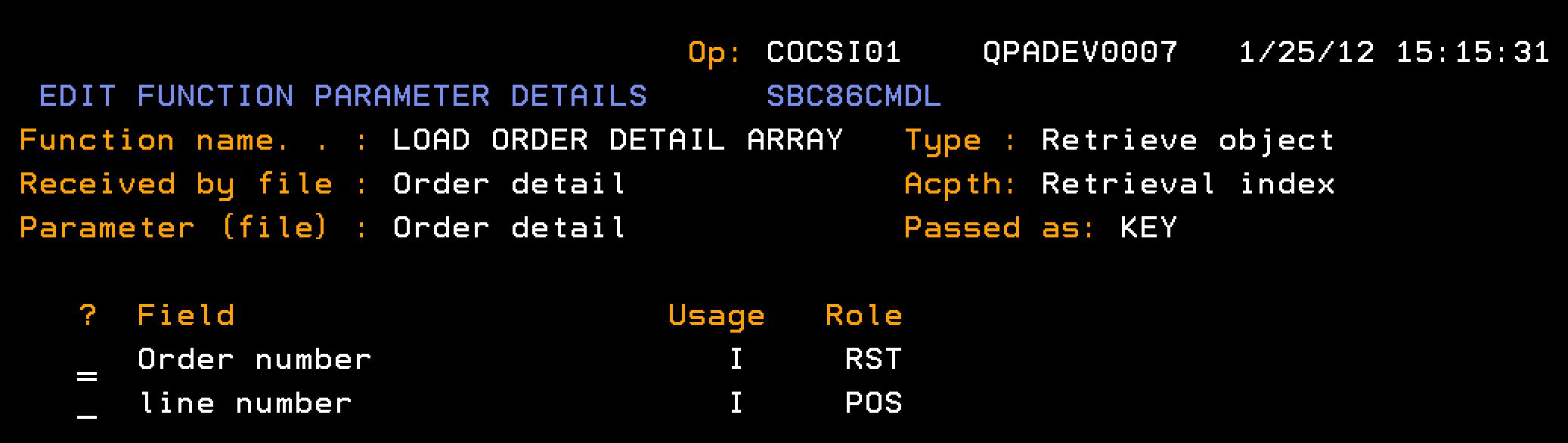
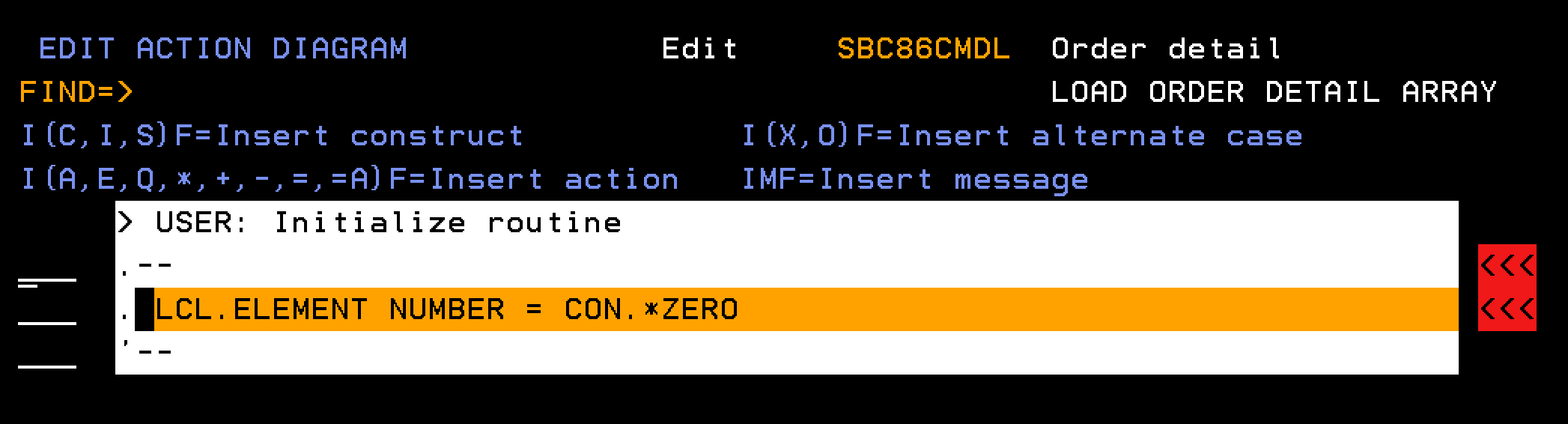
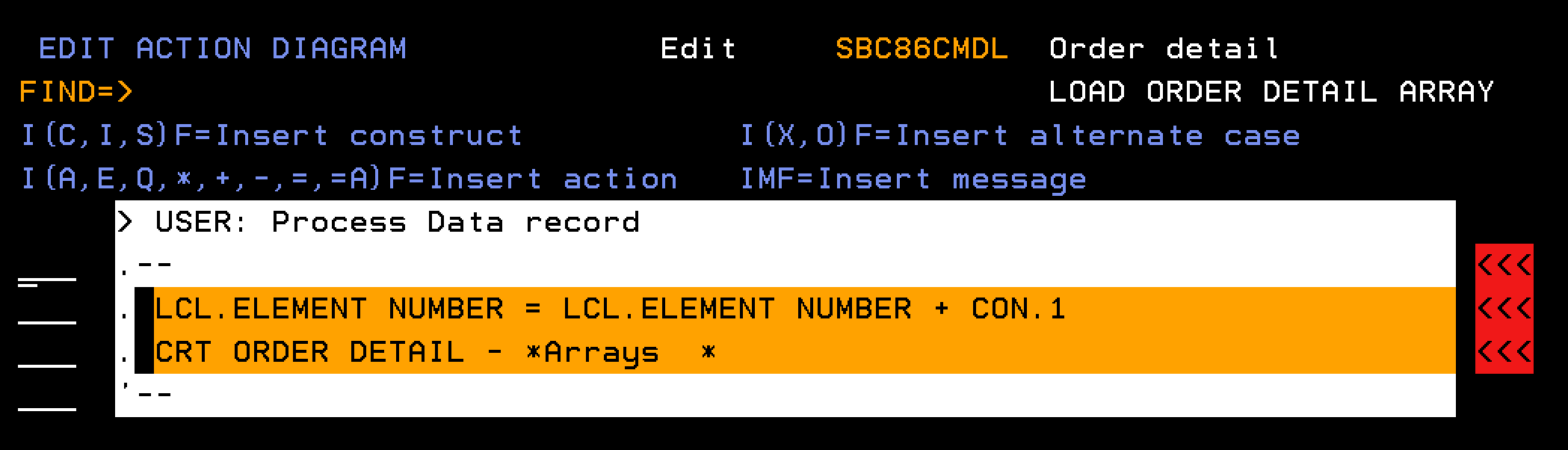
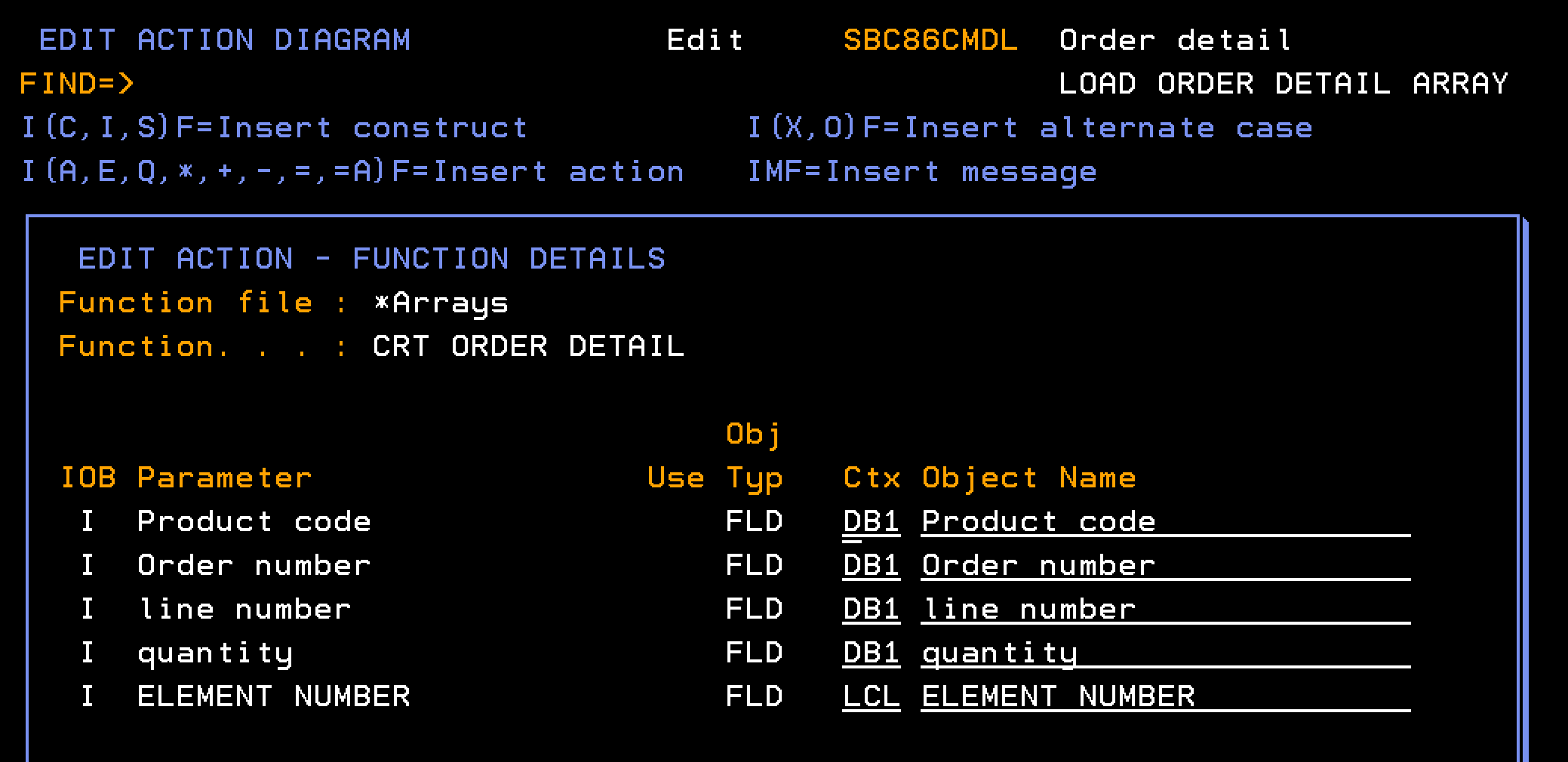
This section explains how to define a function to populate the Order Detail array. The processing runs through the database to find all order detail lines for a given order number. Each detail line is added as a single element in the Order Details array.
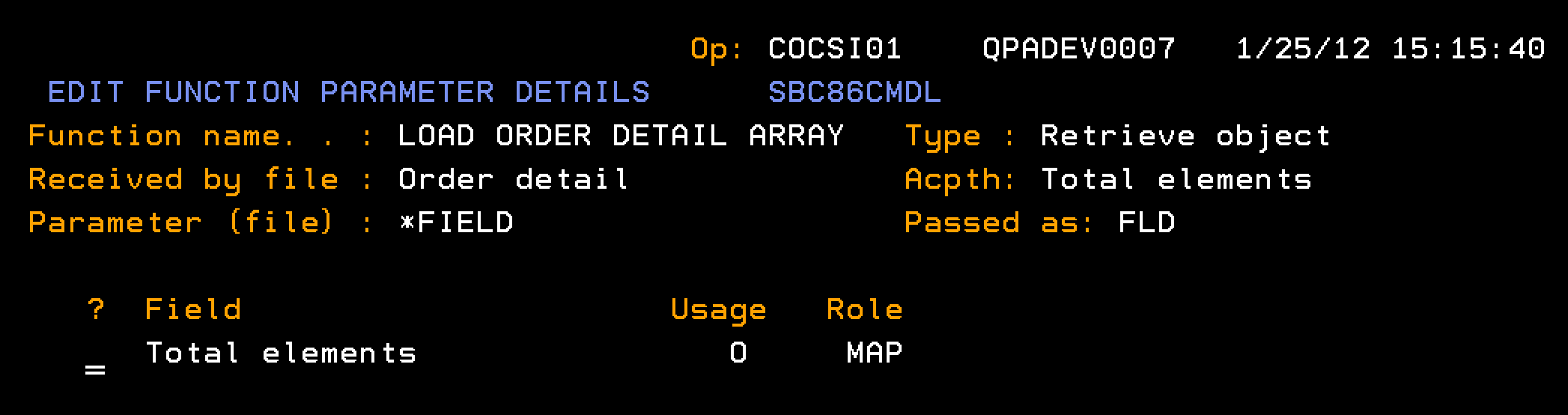
Follow these steps:
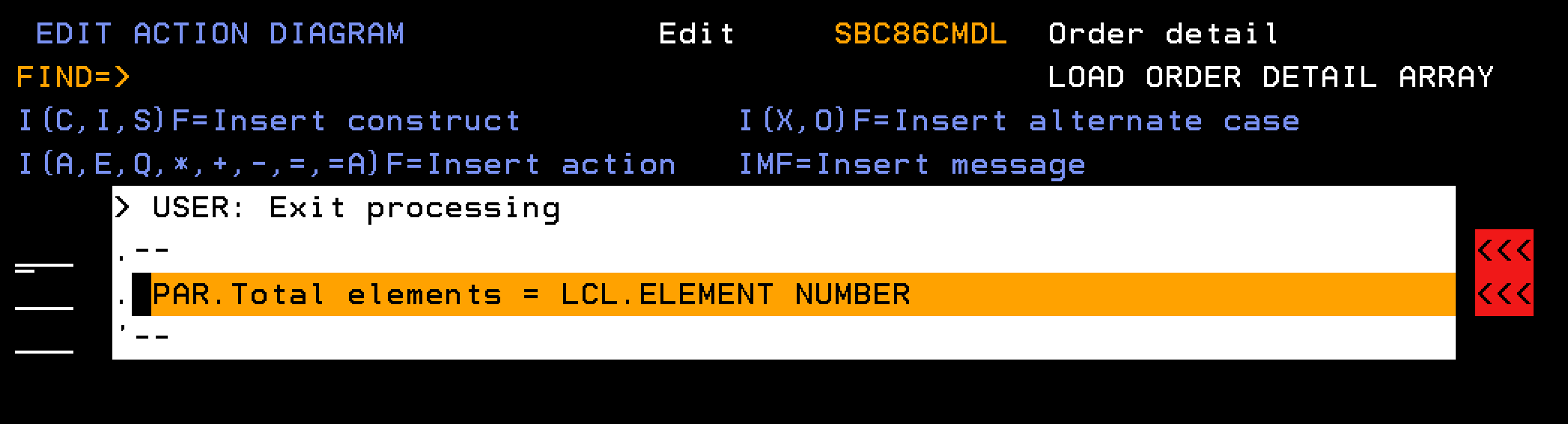
Note: Define the field Total elements as type NBR.
| Copyright © 2011 CA. All rights reserved. | Tell Technical Publications how we can improve this information |