

|
|
|
This process explains how an experienced CA 2E Application Developer can use CA 2E web service support with enhanced array support to make an invocation and retrieve an order. This process includes the order header and multiple order detail lines.
Important! The coding examples are designed to illustrate enhanced array support and are not production-ready. For example, the examples do not contain any user-added error handling.
As an experienced CA 2E Application Developer, you want your result to be a deployable 2E Web Service that uses Enhanced Array Support to return multiple-instances of data in a single invocation. In this scenario, we use an Order Header and Order Detail file, and the order has a single order header and multiple detail lines.
The following illustration shows how you complete the process:
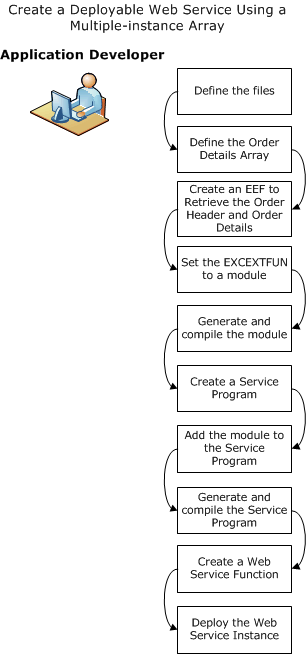
Follow these steps:
Note: This procedure uses individual *MOVE ARRAY statements. As you become familiar with the process, the *MOVE ARRAY, *ALL function helps make your work more efficient.
| Copyright © 2011 CA. All rights reserved. | Tell Technical Publications how we can improve this information |