

|
|
|
When a function has its Duplicate Parameters option set to N, each parameter field should be unique, regardless of the usage. The only exception is that a field can appear once for Input and once for Output.
There are two scenarios where a violation of this restriction and exception can occur:
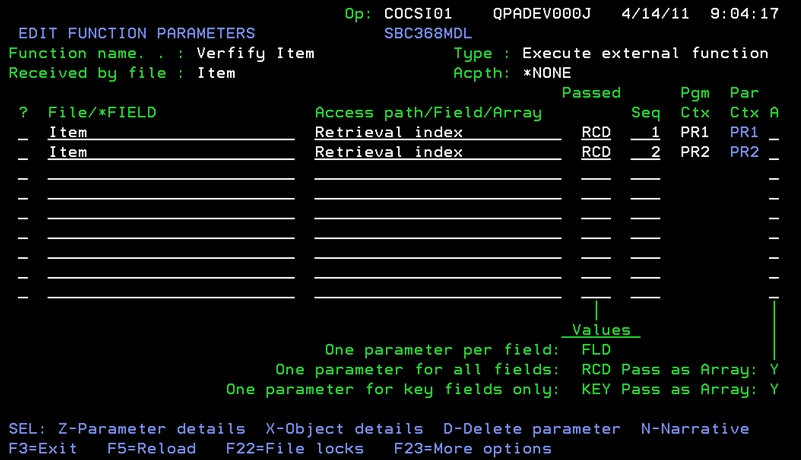
In the following example, the function Verify Item has two identical parameters: Item, Retrieval index, passed as RCD with seq=1 (PR1) and seq=2 (PR2). The subfields on the Item file are: Item code, Item description, Item Price and Item barcode, which are all passed as Both on PR1 and PR2.
Because the Duplicate Parameters Option is set to Y, this is a valid operation:
If the Duplicate Parameters Option is changed from Y to N, then the parameter interface becomes invalid. However, you will not receive a warning or error message.
Use the YCHKFUNPAR command to analyze a model and identify all functions that exhibit specific parameter interface problems. Identifying invalid duplicate parameter fields on the parameter interface of a function where Duplicate Parameters is set to N is one of the issues where YCHKFUNPAR is helpful.
To rectify a function with invalid Duplicate Parameter fields, you must modify the function so that it does not violate the restriction and exception.
When a function has the Duplicate Parameters option set to N, each parameter field should be unique, regardless of the usage. The only exception is that a field can appear once for Input and once for Output.
There are two approaches to rectify this situation:
Note: While this approach immediately makes the parameter interface valid, you must update any reference to PAR context in the action diagram to refer to the appropriate duplicate parameter PR1 through PR9 context.
To Rectify Functions with the Duplicate Parameters Option set to Y then set to N
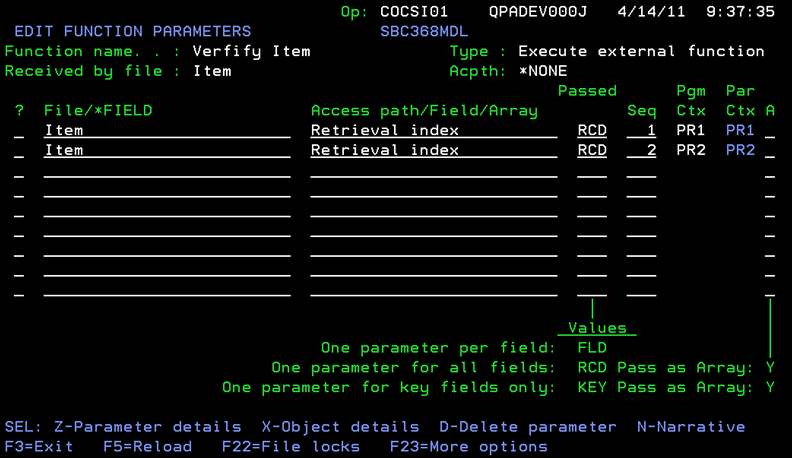
After the Duplicate Parameters function option has been changed to N, no warning is sent. However, the parameter interface is invalid because subfields appear on two different parameters with usage Both, as shown in the following example:
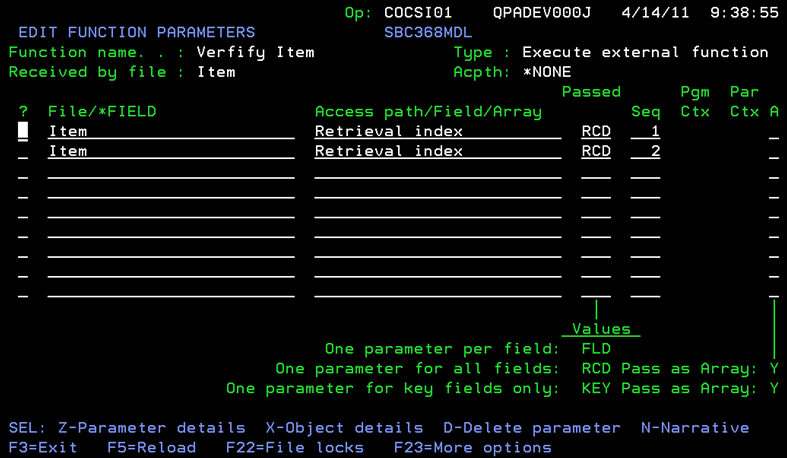
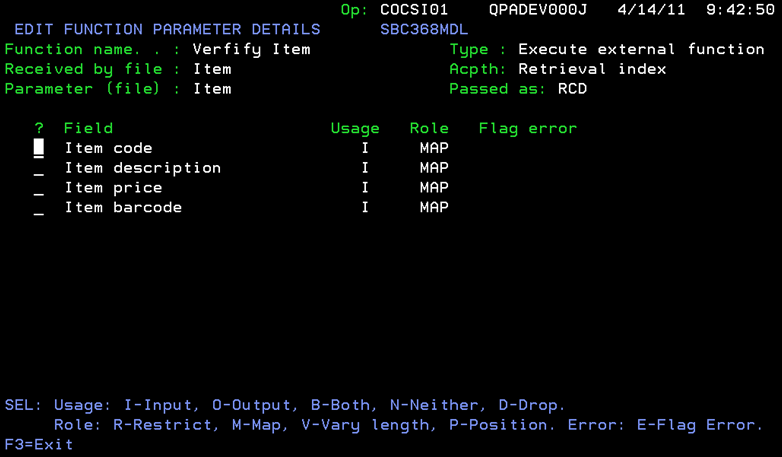

This parameter interface is now valid.
| Copyright © 2011 CA. All rights reserved. | Tell Technical Publications how we can improve this information |