

|
|
|
The Edit Function Parameters panel defines the parameters that are passed to the function by the calling function. How the parameter is used in the called function depends on the called function’s type or the processing specified by that function. Parameters can either be defined as a list of specific fields or as selections of fields from a list of access paths, arrays, or files.
To access the Edit Function Parameters panel
The Edit Functions panel appears.
The Edit Function Parameters panel appears:
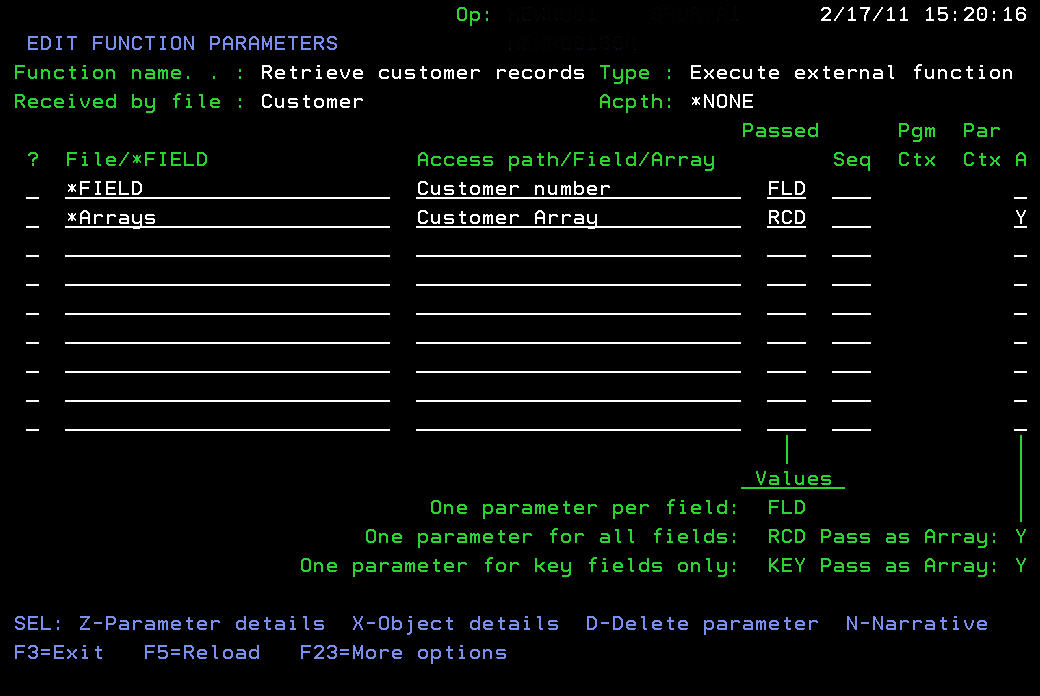
Use one of the following methods to specify the parameters:
To specify an individual field
By entering ? this field can be used for prompting.
The Passed field defaults to FLD.
To specify a set of fields from a file, access path, or array:
By entering ? this field can be used for prompting. A * defaults to the name of the file over which the function is built.
By entering ? this field can be used for prompting.
Note: If you use *NONE as the access path then all fields, actual and virtual, are associated with the file are available for selection. This removes the need to tie the parameter entry to a specific access path and can reduce the impact of a change to the definition. This approach is particularly relevant when a subset of fields is selected.
Each specified field is passed as an individual parameter. This must be specified for *FIELD or *NONE parameter lines.
A single parameter with the length of the specified access path is passed. The parameter contains space for all the fields associated with the access path, which can individually be specified as parameters.
A single parameter with the length of the combined keys of the specified access path is passed. The parameter contains space for all the key fields that can be individually specified as parameters.
The following situations apply when using the A field:
| Copyright © 2011 CA. All rights reserved. | Tell Technical Publications how we can improve this information |