

|
|
|
Position the cursor on the entry derived from the field where you attached the device user source; in this example, Horse name. Press Enter to display the Edit Screen Entry Details panel.
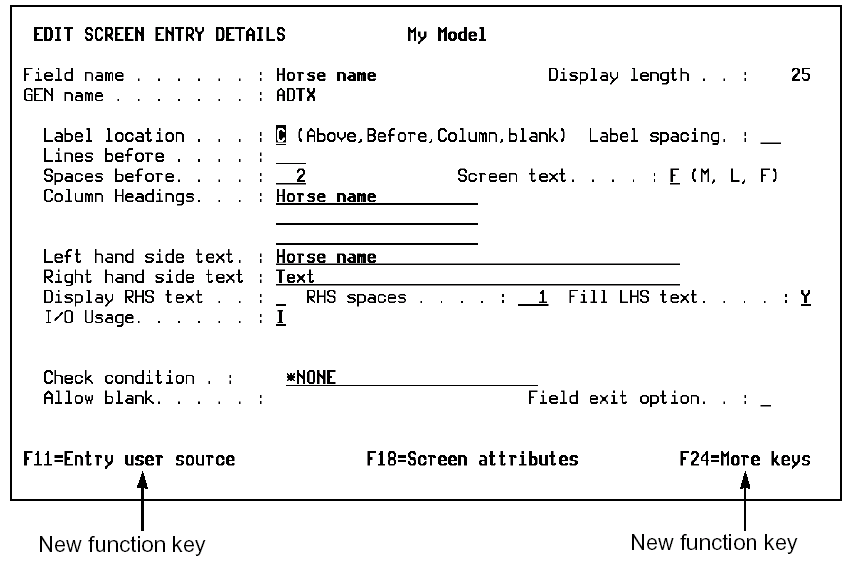
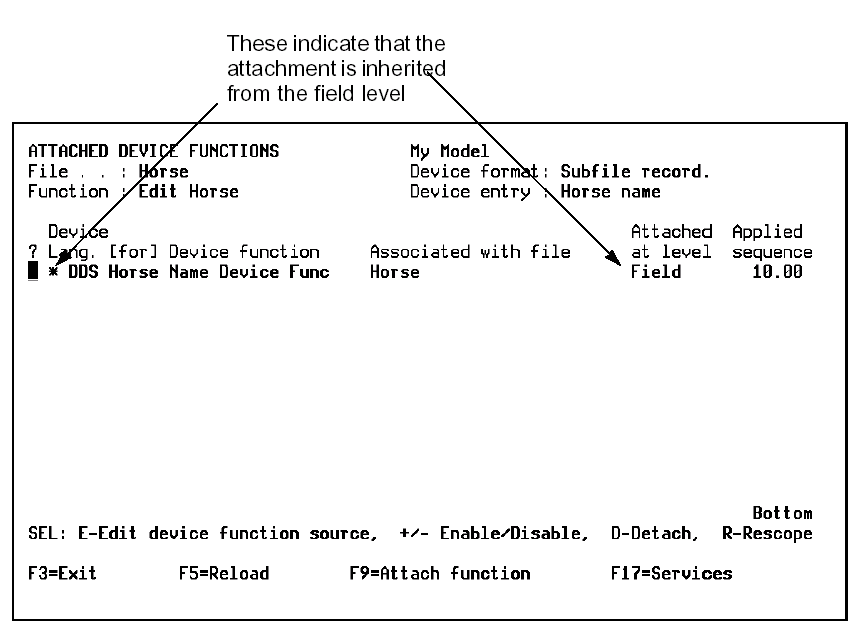
Press F11 to display the Attached Device Functions panel for the Horse name entry. The device user source you attached to the Horse name field is shown in the list of device user functions attached to the Horse name entry.
| Copyright © 2011 CA. All rights reserved. | Tell Technical Publications how we can improve this information |