

|
|
|
You can override an automatically attached device user source at the entry level in two ways:
Note: You cannot use the D option on this panel to detach a device user function that was inherited from the field-level.
The + and - options are available for all device properties. You can use them to release or temporarily hold any explicitly attached device function. In addition, for the entry level you can use them to allow or prevent the inheritance of device user source from the field level.
If you do not want the inherited device user function applied to this Horse name entry, type - against it and press Enter.
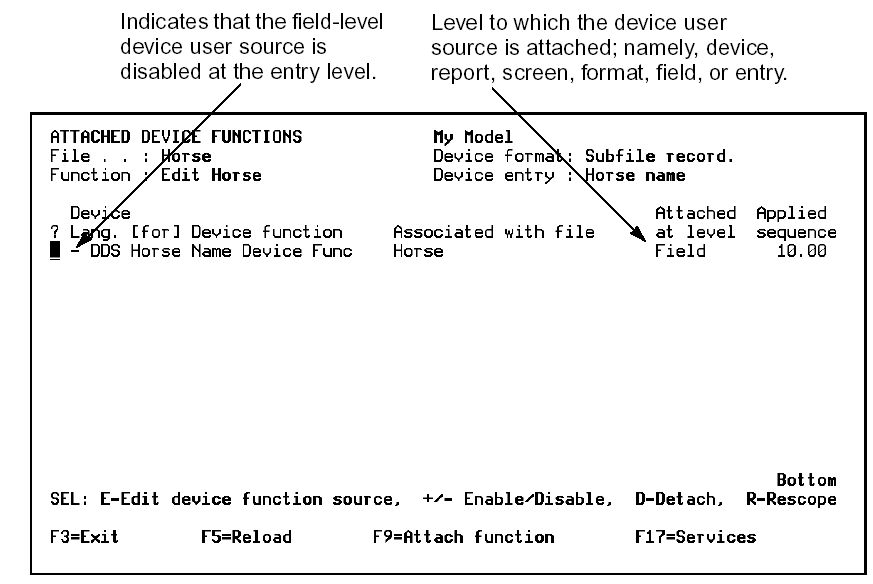
The device user function is no longer highlighted and the * is reset to - indicating that the function is disabled. When you generate the Edit Horse function, the device user source is not applied to the Horse name entry.
You can now detach the device user source at the field level without affecting the entry-level attachment.
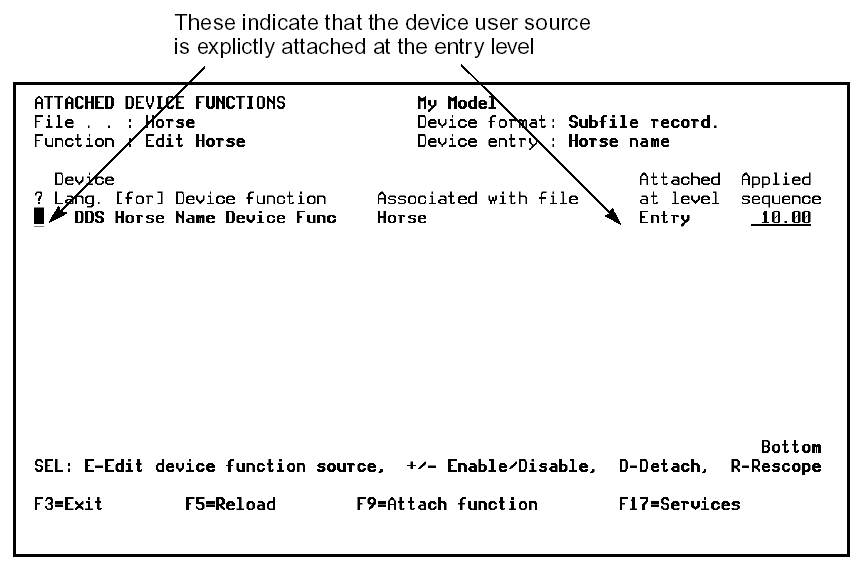
To reinstate the automatic field-level attachment, detach the entry-level attachment by typing D against it and pressing Enter.
| Copyright © 2011 CA. All rights reserved. | Tell Technical Publications how we can improve this information |