

|
|
|
If you do not want a batch job or TSO address space to wait for a transfer to complete, you can execute XCOMJOB specifying PARM='TYPE=SCHEDULE.' In this case, the XCOMJOB region does not transfer the file itself. Rather, as illustrated in the following figure, it adds a request to a CA XCOM Data Transport server's queue of file transfer requests.
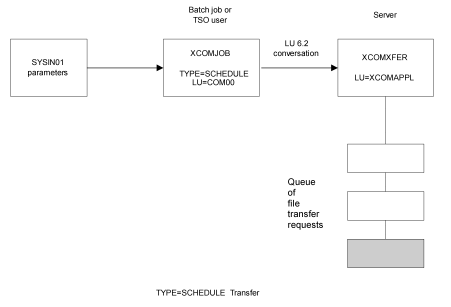
As illustrated in the next figure (A Scheduled File Transfer), the CA XCOM Data Transport server selects requests from the queue and initiates an LU 6.2 conversation with another CA XCOM Data Transport server. The XCOMJOB that originally scheduled the request treats this as an asynchronous file transfer and terminates once the request has been scheduled.
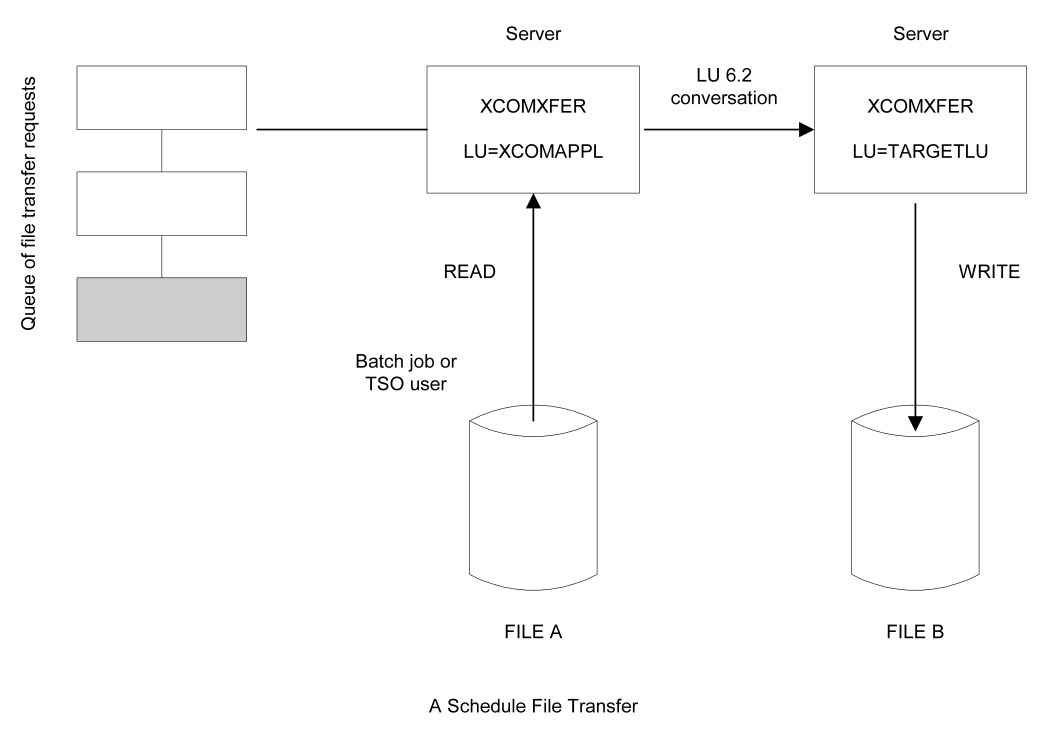
The previous figure illustrates a TYPE=SCHEDULE file transfer involving two CA XCOM Data Transport servers. Members XCOMJOBS and XCOMIVP2 in CAI.CBXGJCL contain jobs that initiate TYPE=SCHEDULE transfers. In the XCOMIVP2 member, SYSIN01 includes the STARTDATE=04237 parameter, which specifies the date when the CA XCOM Data Transport server will initiate the file transfer.
When Julian date 04237 arrives, the CA XCOM Data Transport server with LU XCOMAPPL selects this transfer request from its queue and initiates a file transfer to the CA XCOM Data Transport node that it identified as TARGETLU. If the STARTDATE parameter is omitted, the CA XCOM Data Transport server initiates the transfer as soon as it can.
After the job in XCOMIVP2 completes, you can display the file transfer request that has been added to the CA XCOM Data Transport server's queue by issuing this command at the z/OS console:
F XCOM,SHOW
The address space name of the CA XCOM Data Transport server.
The CA XCOM Data Transport server responds to this command by issuing an XCOMM0389I message for each transfer request on its queue. In this case, CA XCOM Data Transport responds with the following lines:
XCOMM0013I SHOW
XCOMM0389I REQ#=001162, STATUS=INACTIVE, NAME=TARGETLU, DATE=04237, TIME=0000,
PRI=10, AGE=010
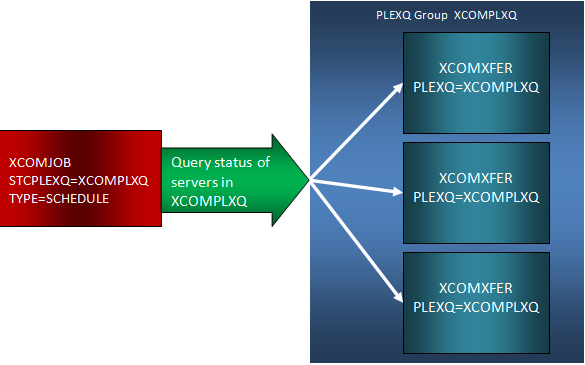
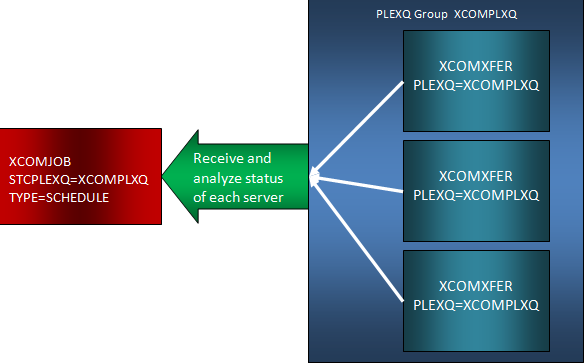
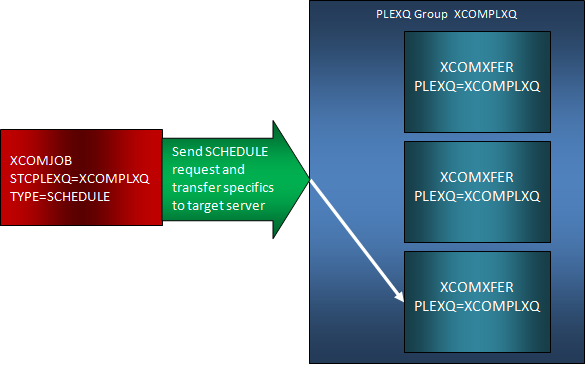
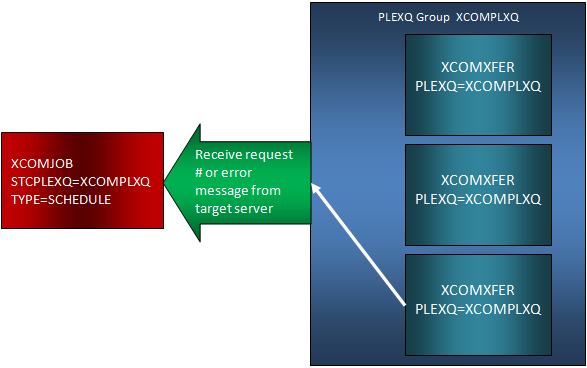
When scheduling transfers within the PLEXQ, you must use TYPE=SCHEDULE. In this case, the XCOMJOB batch utility connects to the PLEXQ group and initiates a query to all member servers within the PLEXQ group named in the STCPLEXQ EXEC PARM. The servers in the PLEXQ group each respond with its current status. The XCOMJOB utility programmatically selects the best candidate server to receive the schedule request, and proceeds to direct the scheduling activity to the appropriate server. Inquire activity (if any) is subsequently directed to the appropriate server by the XCOMJOB utility. All exchanges of data and information are routed through the IBM SYSPLEX Coupling Facility Signaling Services. Member XCOMJOQS in CAI.CBXGJCL contains a job that initiates a TYPE=SCHEDULE transfer using the PLEXQ environment.
The following diagrams represent the sequence of events involved in scheduling a transfer to a PLEXQ group:
| Copyright © 2012 CA. All rights reserved. |
|