

|
|
|
You can import an already exported configuration file from the web server and display its transfer records on the main Schedule Transfer page. The records can then be processed; for example, edited, saved, or submitted for scheduling, as described in the previous sections.
To import an exported configuration file
The main schedule transfer page appears.
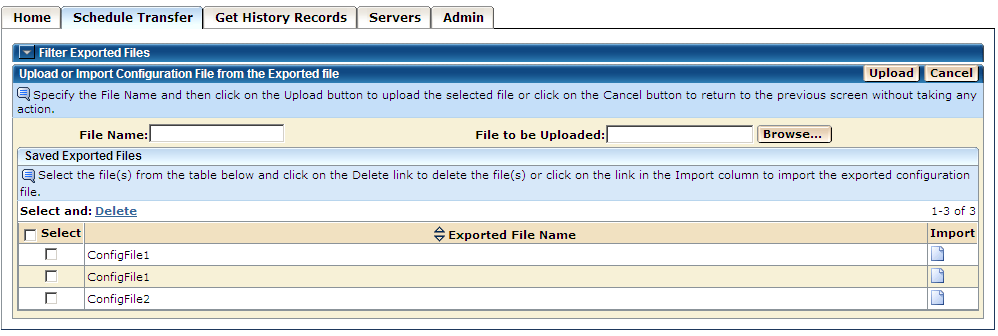
The transfer records saved in the selected exported file are listed on the main Schedule Transfer page.
You can process the records as explained above in this section.
Note: On this page, you may also select one or more records from the exported file list on this page and click Delete link to delete the files. A dialog opens to confirm the delete process or cancel the process.
| Copyright © 2011 CA. All rights reserved. | Tell Technical Publications how we can improve this information |