

|
|
|
User IDs can be defined in the CA XCOM Management Center configuration and the specified credentials must be authenticated through through the CA Embedded Entitlements Manager (EEM). See your CA XCOM Management Center administrator for user ID definition and configuration.
Users whose credentials are authenticated successfully, but are not defined in the CA XCOM Management Center configuration, are automatically added as regular users to the CA XCOM Management Center configuration.
To log in to CA XCOM Management Center
Note: For more information about the website address, see Log In in the chapter "Configuring and Administering CA XCOM Management Center."
The CA XCOM Management Center login screen appears.
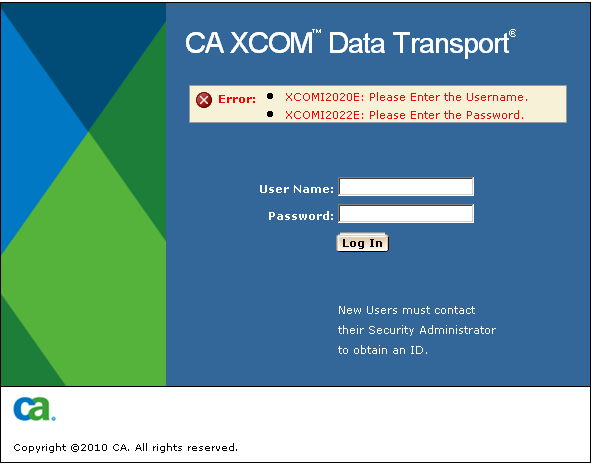
If you do not enter user ID and/or password, an error message is displayed, advising you to enter the missing value.
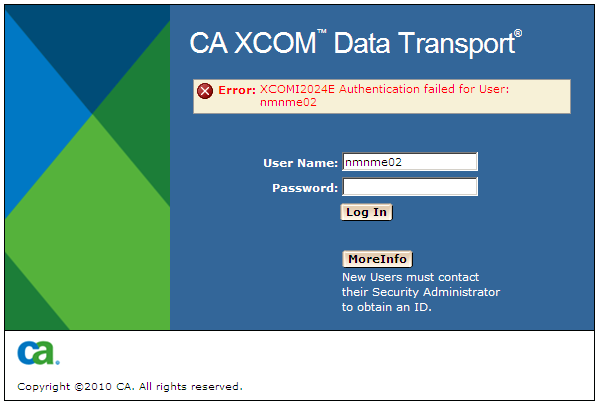
If the authentication by the CA EEM server fails, an error message is displayed and allows the user to re-enter the information. Clicking on the moreInfo button gives more information about the cause of the failure on the error page as shown below.
The output for the MoreInfo button is as follows:
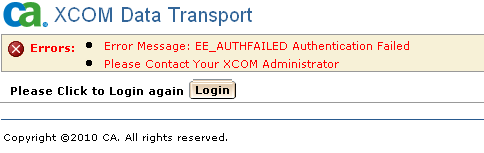
Click the Login button on this page to return to the login page.
Notes:
| Copyright © 2011 CA. All rights reserved. | Tell Technical Publications how we can improve this information |