

|
|
|
You can use the Process Servers page to import servers from history records and display the server information on the screen.
To import servers from history
The Home page appears.
The Admin page appears.
The Process Servers page appears.
Note: The Import From History icon is only available for servers with a valid IP Address.
The History Parameters page appears.
The parameters displayed on this page are used to limit the history records to be searched for the servers. See below for the description of the parameters.
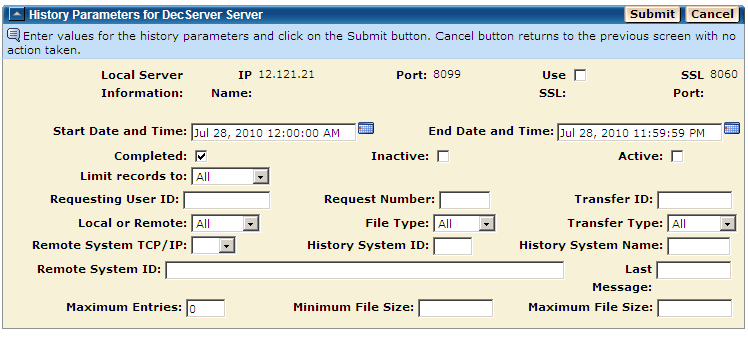
Note: Click Cancel on this page to cancel the import process and return to the Process Servers page.
The information for the servers found in the searched history records is displayed on the Add New Servers page.
You can check the information, and then update the servers and save them in the Servers database. (See Add New Servers in this chapter.)
| Copyright © 2011 CA. All rights reserved. | Tell Technical Publications how we can improve this information |