

|
|
|
You can use the Process Realms page to display configured realms of CA XCOM Gateway.
To display configured realms
The Home page appears.
The Admin page appears.
The Process Realms page appears.
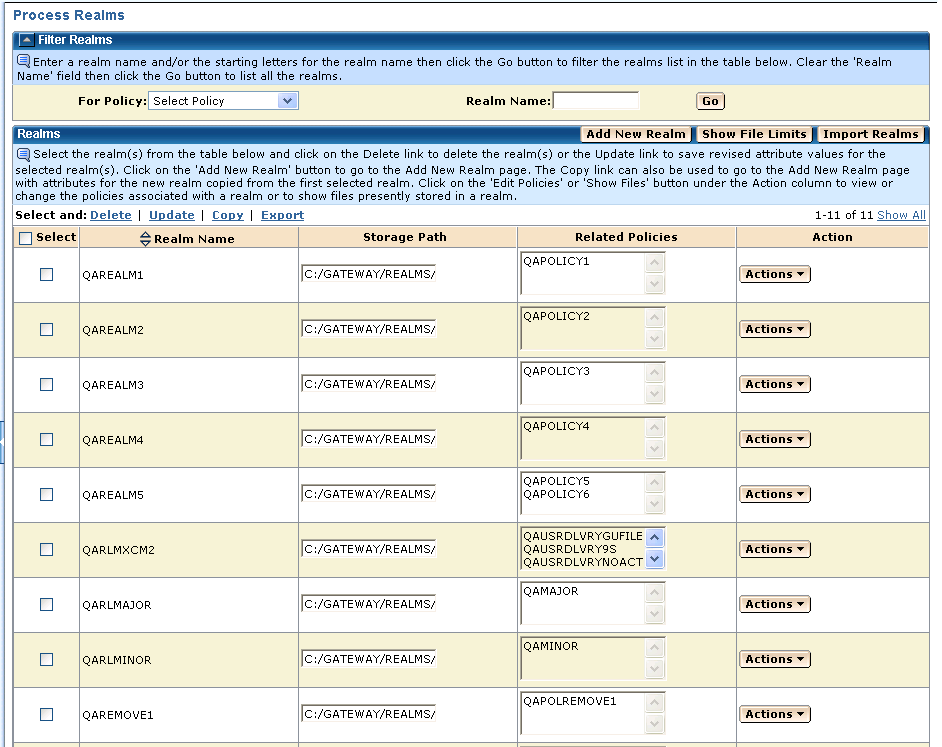
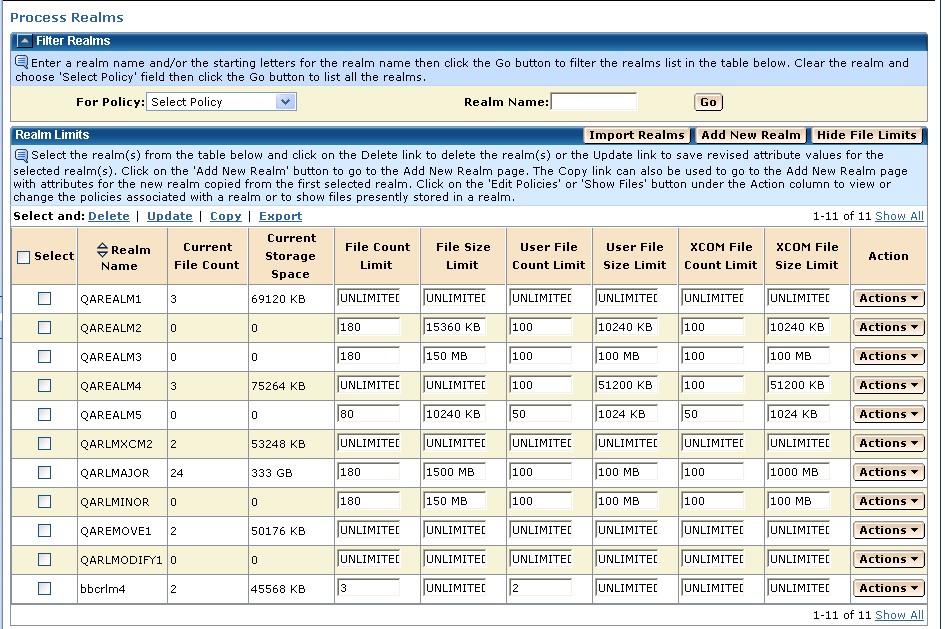
You can click the Show File Limits button on the Realms screen to display an alternative Realm Limits screen (below), which shows file limits for the same realms. On this Realm Limits screen, click the Hide File Limits button to return to the standard screen format.
| Copyright © 2011 CA. All rights reserved. | Tell Technical Publications how we can improve this information |