

|
|
|
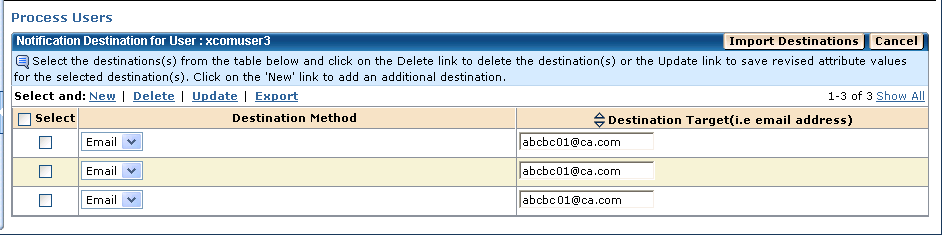
You can use the Admin page to display the configured notification destinations for a user.
Important! You must have Super Admin authority to add new notification destinations for a user.
To display the notification destinations for a user
The Home page appears.
The Admin page appears.
The Process Users page appears.
A drop-down list appears.
The Notification Destinations by User page appears, listing the selected user's notification destinations.
| Copyright © 2011 CA. All rights reserved. | Tell Technical Publications how we can improve this information |