

When a file is created, a UNIX script needs to use the file name as input. The last 12 characters of the file name always change and are based on a date and time stamp. An example of such a filename created on 09/29/04 at 23:14:56 is “file092904231456”.
To process a changing file name
The solution looks like this:
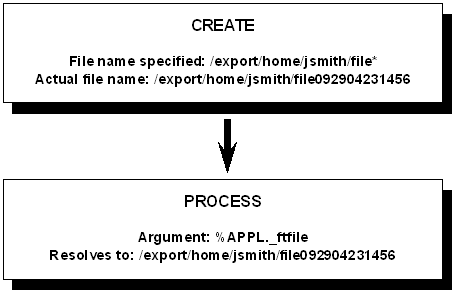
The file trigger job waits for a file to be created that matches the file name mask /export/home/jsmith/file*. When any such file is created, the file trigger job completes and releases the successor job to process the file.
The built-in variable, APPL._ftfile, is assigned a value of the full file name whenever file trigger activity takes place. You can pass this variable as an argument to the UNIX script run after the file trigger completes.
There is only one APPL._ftfile variable per generation of an Application. When additional file triggers take place in the same generation of the Application, the previous APPL._ftfile variable is overwritten.
|
Copyright © 2011 CA.
All rights reserved.
|
|