

Java Message Service (JMS) is the standard for enterprise messaging that lets a Java program or component (JMS client) produce and consume messages. Messages are the objects that communicate information between JMS clients.
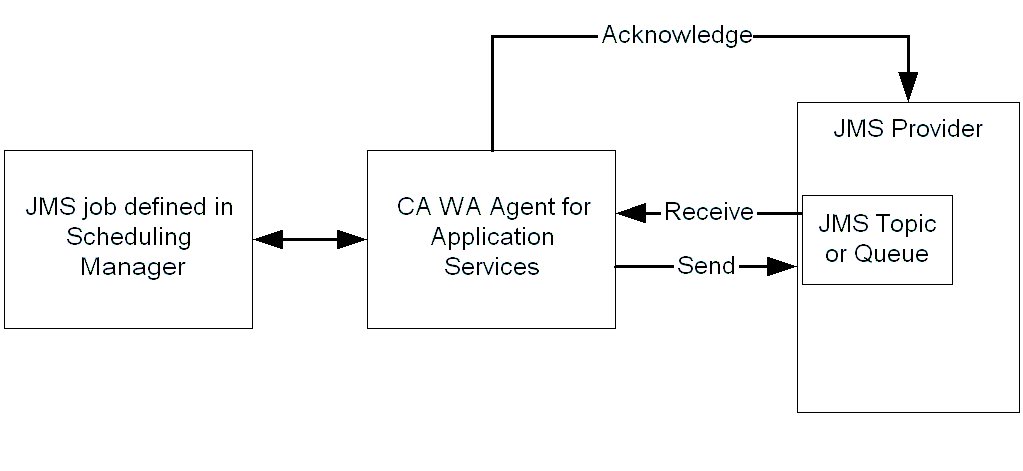
In a JMS system, a messaging server known as the JMS provider acts between two JMS clients (the publisher and the subscriber). Publishers send messages to the JMS provider while subscribers receive messages from the JMS provider.
The following diagram shows the functional relationship between the scheduling manager, the CA WA Agent for Application Services, and a JMS provider:
A queue is an object on the JMS server that holds messages sent by a client that are waiting to be consumed by another client. The queue retains a message until the message is consumed or the message expires.
The following diagram shows Client 2 (the subscriber) consuming a message that Client 1 (the publisher) sends to a queue:

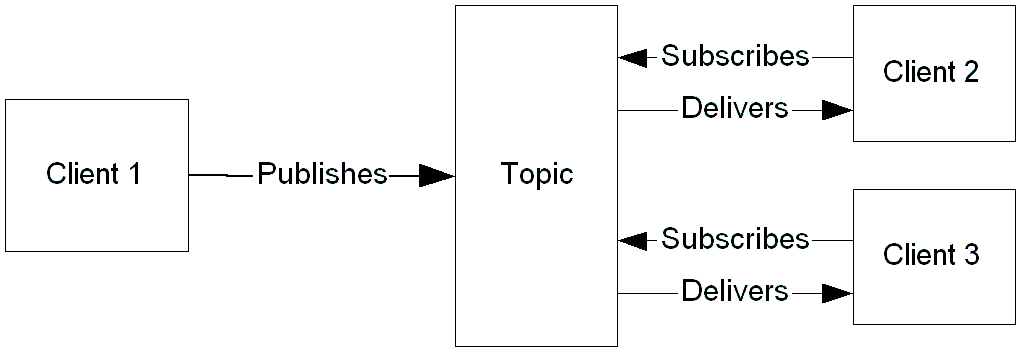
A topic is an object a client uses to specify the target of the messages it produces and the source of the messages it consumes. A client acquires a reference to a topic on a JMS server, and sends messages to that topic. When messages arrive for that topic, the JMS provider is responsible for notifying all clients.
The following diagram shows two subscribers, Client 2 and Client 3, subscribed to a topic that the publisher, Client 1, publishes to:
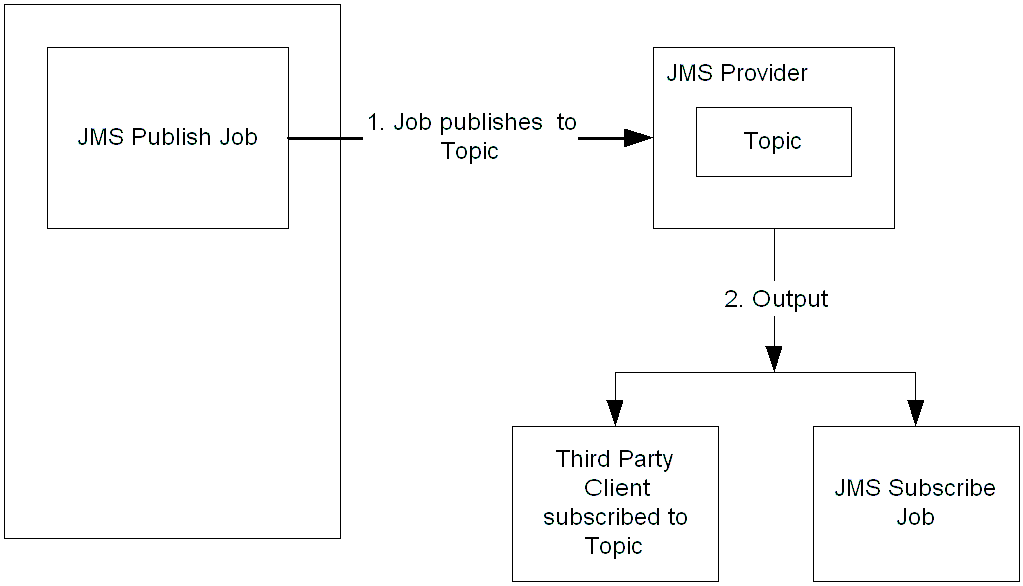
A JMS Publish job lets you send a message to a queue or publish a message to a topic. Using a JMS Publish job to publish to a topic, you can broadcast a message to any topic subscriber. A third-party client can consume this message, or a JMS Subscribe job can listen for a particular message (using a filter).
Note: To run these jobs, your system requires CA WA Agent for UNIX, Linux, or Windows and CA WA Agent for Application Services.
The following diagram shows a JMS Publish job scenario:
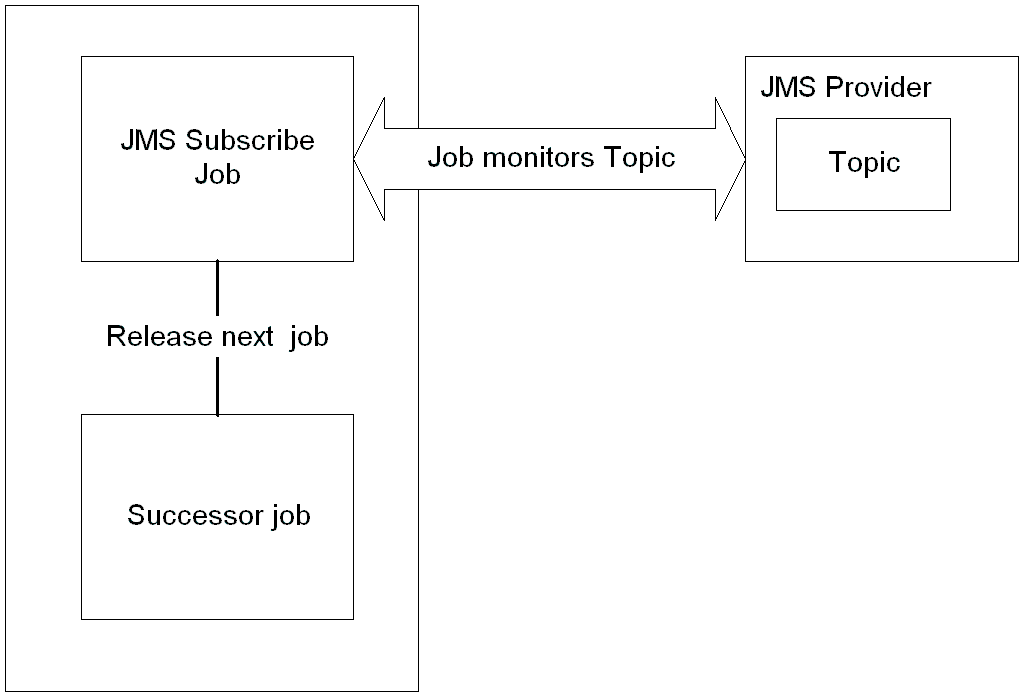
A JMS Subscribe job lets you consume messages from a queue or topic. Using a filter that you define within the job definition, the agent monitors the topic or queue output for specific data. The scheduling manager then sends the message that meets the filter criteria to a destination file you specify. You can define the job to continuously monitor JMS messages.
Note: To run these jobs, your system requires CA WA Agent for UNIX, Linux, or Windows and CA WA Agent for Application Services.
The following diagram shows a JMS Subscribe job scenario:
To define a JMS Publish or JMS Subscribe job, you require the following information:
|
Copyright © 2011 CA.
All rights reserved.
|
|