

After you have checked job tracking as described previously, you are ready to execute the test job network. The test exercises other scheduling options and lets you watch CA WA CA 7 Edition perform. To start this process, issue the following commands:
DEMAND,JOB=CA07XX01
      and
DEMAND,JOB=CA07XX08
These commands schedule two of the jobs that the installation job CA07N220 defines. These jobs in turn cause other jobs to be scheduled as noted in the following figure. Issue the LQ command every few seconds to monitor the progress of the jobs as they execute, and notice how the display changes. After all the jobs have completed, you can issue the LRLOG command to see the history of their scheduling. Also, you can issue the LPRRN command.
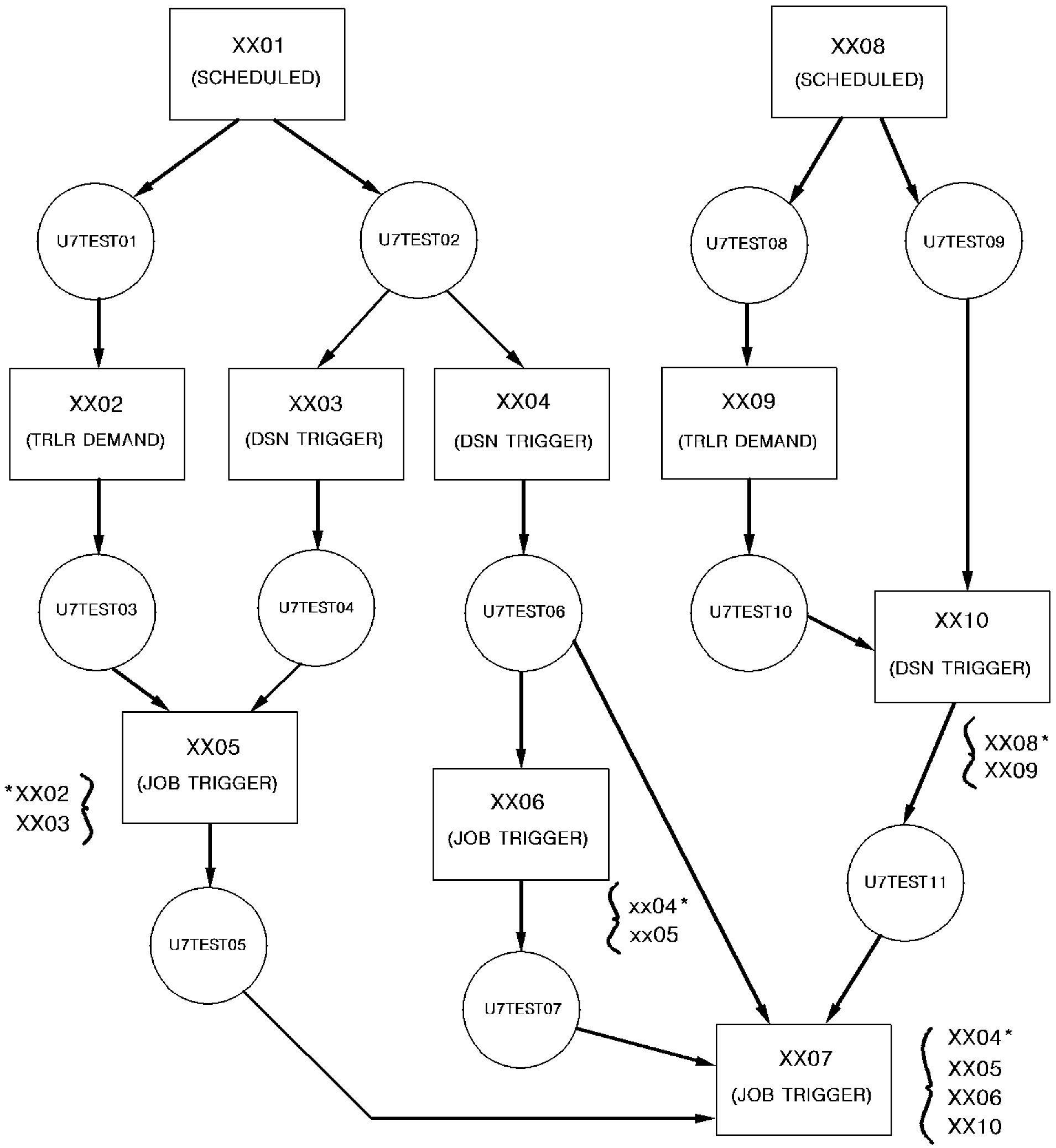
* Jobs in this group denote job dependencies.
You can set up your own test flows. A program that waits and sets a return code or abends is available for your use. For the sample JCL, see member AL2TSTPG in the Sample JCL library (CAL2JCL).
|
Copyright © 2015 CA Technologies.
All rights reserved.
|
|