

If the FTP server supports SSL FTP and the agent FTP client has SSL FTP configured, you can securely transfer data using Secure Sockets Layer (SSL) communication.
Notes:
Note: If the FTP server does not support SSL FTP, you must set the SSL operand in the TRANSFERCODETYPE statement to NO. Otherwise, the job will fail.
To transfer files using SSL FTP, specify the SSL operand in the TRANSFERCODETYPE statement in the job definition.
Example: Upload a File from a Local Computer to a Remote Windows Server Using SSL FTP
In this example, the agent runs on a local computer as an FTP client and has SSL FTP configured but not enabled. The remote Windows server has SSL FTP configured and enabled.
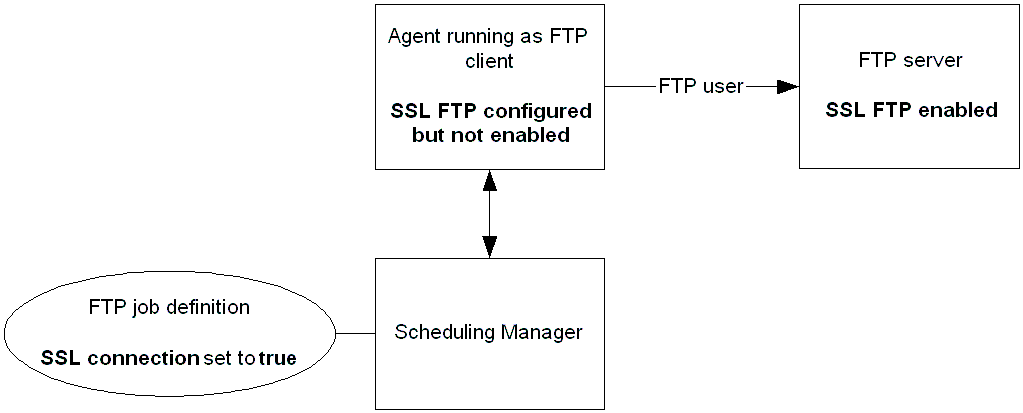
The following FTP job uploads the filename.txt file from the agent FTP client to the c:\uploaded_files directory on a remote Windows server. The SSL operand in the TRANSFERCODETYPE statement is set to YES to transfer the file securely. Although the agent FTP client does not have SSL FTP enabled, the file will be uploaded using SSL FTP because the configuration requirements are met (the agent FTP client has SSL FTP configured and the FTP server has SSL FTP enabled).
AGENT WINAGENT
USER user1
SERVERADDR winserver
SERVERPORT 21
TRANSFERDIRECTION U
TRANSFERCODETYPE U SSL(YES)
REMOTEFILENAME c:\uploaded_files\filename.txt
LOCALFILENAME d:\files_to_upload\filename.txt
Example: Download a File from a Remote UNIX Server that Does Not Support SSL FTP to a Local Computer That Supports SSL FTP
In this example, the agent runs on a local computer as an FTP client and has SSL FTP enabled (all FTP jobs on the agent computer run using SSL FTP by default). The remote UNIX server does not support SSL FTP.
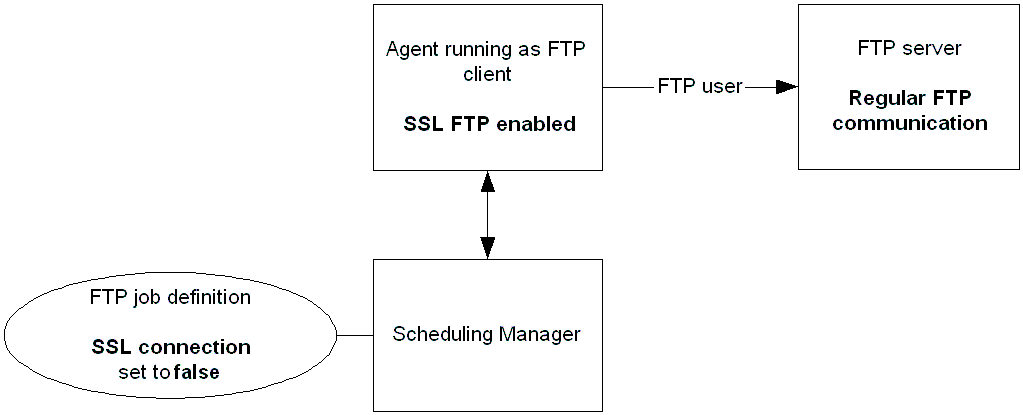
The following FTP job downloads the filename.txt file from the remote UNIX server to the c:\downloaded_files directory on the local computer. Because the FTP server does not support SSL FTP, the SSL operand in the TRANSFERCODETYPE statement is set to NO so the job does not fail.
AGENT WINAGENT
USER user1
SERVERADDR hpunix
SERVERPORT 5222
TRANSFERDIRECTION D
TRANSFERCODETYPE A SSL(NO)
REMOTEFILENAME /files_to_download/filename.txt
LOCALFILENAME c:\downloaded_files\filename.txt
|
Copyright © 2013 CA Technologies.
All rights reserved.
|
|