

As a scheduler, you use virtual resources to place certain restrictions on job execution. You can use existing virtual resources to create additional virtual resources.
This scenario walks you through the process of creating a global virtual resource from an existing global virtual resource.
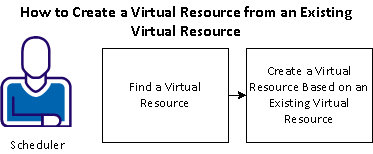
To create a resource based on an existing resource, follow these steps:
Example: Use the HR_Report Resource to Create a New Resource
Suppose your organization restricts the number of HR reports running at the same time to 15. That restriction is implemented using a global resource named HR_Report that has a resource amount of 15. You want to also restrict the number of sales reports running at the same time to 15. Because you already have a global resource for your HR reports, you can copy it to create a global resource to use for sales reports.
|
Copyright © 2013 CA.
All rights reserved.
|
|