

As a console operator, you are responsible for creating and managing the views and alerts for your enterprise.
This scenario walks you through the process of creating and monitoring a view.
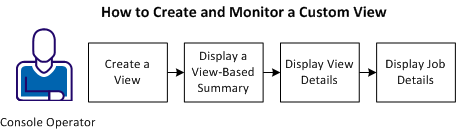

To create and monitor a custom view, follow these steps:
Example: Create and Monitor a Custom View Containing CA Workload Automation AE Jobs
Suppose that you are responsible for monitoring all of the payroll jobs in your enterprise. You can create a view that displays only those CA Workload Automation AE jobs and properties you want to monitor. After the view is created, you can open the view to display its overall status. You can then display all of the jobs contained in the view and view the overall properties of the failed jobs in Quick View.
|
Copyright © 2013 CA.
All rights reserved.
|
|