

This chapter explains how to select and retrieve reports using each of the five user modes: ALL, SAR, SARO, EXP, and EXPO.
The output and retrieval process begins when you enter selection criteria into your mode's Primary Selection panel. After this has been done, other panels and selection lists enable you to find and retrieve specific output that has been archived within the CA View system. As part of the retrieval process, you can choose to print or view the output.
The illustration on the following page shows the general flow and options of the output selection and retrieval process.
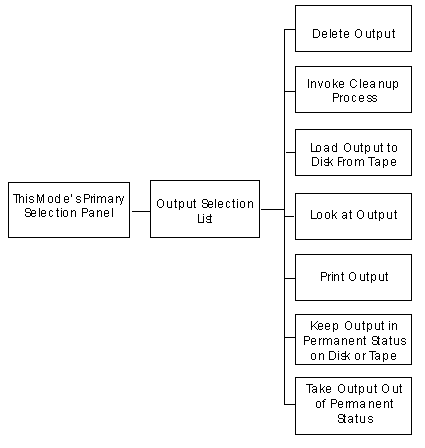
When you enter selection criteria in your mode's Primary Selection panel, a selection list of all the output that matches your criteria is displayed. It is from this output selection list that you select one archived SYSOUT group or one archived report for retrieval.
This section contains the following topics:
User Modes and Output Selection Lists
Selecting Data with Selection Codes
The Sysout Selection List in ALL Mode
Selecting Output for Retrieval—ALL Mode
The Sysout Selection List in SAR(O) Mode
Selecting SYSOUT for Retrieval—SAR(O) Mode
The Report Selection List in EXP(O) Mode
Selecting Reports for Retrieval—EXP(O) Mode
Using the Selection List Commands
|
Copyright © 2013 CA.
All rights reserved.
|
|