

|
|
|
You can customize reports with the appearance and information you want by clicking the Definitions icon  from the toolbar of the object view.
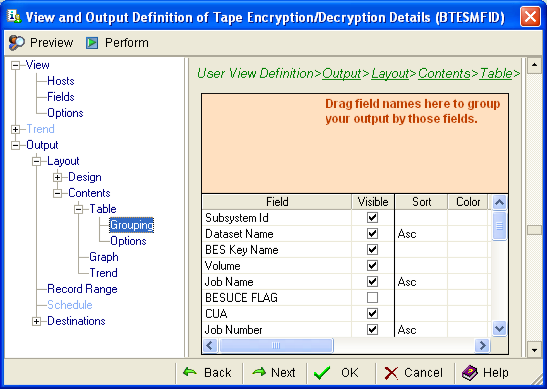
For example, in CA Tape Encryption, you could create a report based on the Tape Encryption/Decryption Details view that contained information on the Subsystem ID, BES Key Name, Volume, and other fields. You could then sort the report by Dataset Name, Job Name, and then Job Number, in that order.
The following example shows how you would define this report in the Output and View Definition wizard.
| Copyright © 2010 CA. All rights reserved. | Tell Technical Publications how we can improve this information |