

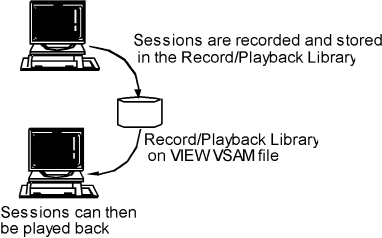
The Record/Playback feature allows you to record application sessions and play them back at a later time. It is an advanced feature of the View facility. The recorded sessions are stored in the Record/Playback library. The library is saved on the VIEW file, one of the VSAM files.
As a session is recorded, CA TPX saves all terminal input and application output, and any narrative text that you add. When you play back the recorded session, the product does not execute an actual session (there is no interaction with the application), but all of the input and output, along with the narrative, is displayed on the screen. You can control the playback speed while viewing the playback.
This feature has many uses:
|
Copyright © 2013 CA.
All rights reserved.
|
|