

This TPX health check checks for the SLOT or DSA Storage overflow over multiple time intervals. When
the event is recognized, it runs once in every minute. If an error occurs, the following Health Check message is displayed:
TPXH3002E sord - bora THE LINE - HAS OVERFLOWED SINCE LAST INTERVAL
Storage has overflown over multiple intervals for slot number n or DSA since the last interval check. The bora parameter states whether storage line overflowed either above or below the 16 MB.
Monitor TPX slot and DSA storage. Find the high watermark usage for your slots and DSA for your site. If a SLOT or DSA run low on storage, adjust TPX storage usage accordingly.
Specifies TPX SLOT storage, where
N
Defines the Slot number.
Specifies the DSA storage inside of TPX.
Specifies either ABOVE or BELOW respectively when the storage line is above or below 16 MB.
Yes.
Monitor storage usage of the particular slot which has overflowed. If the problem continues over multiple time intervals, raise the percentage of storage for the problem slot pool.
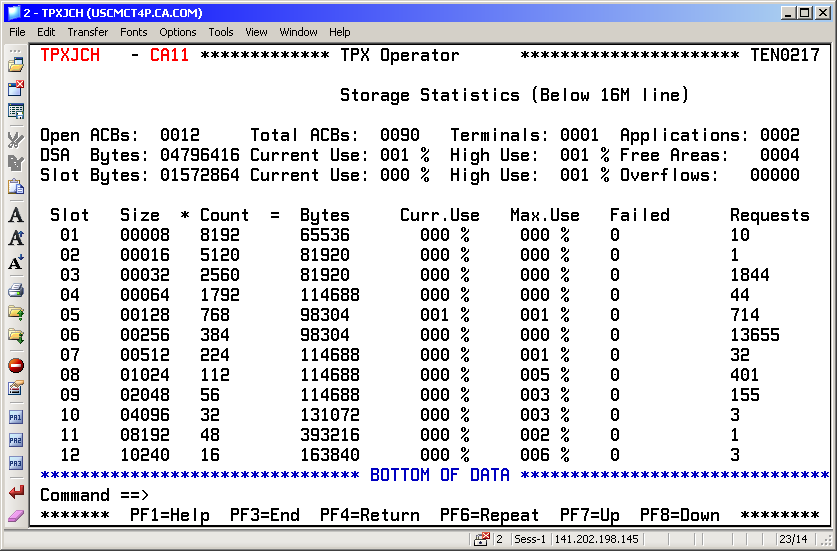
Use the “D STOR” TPX operator command to display the storage line below the 16 MB. The following illustration is an example of a D STOR screen:
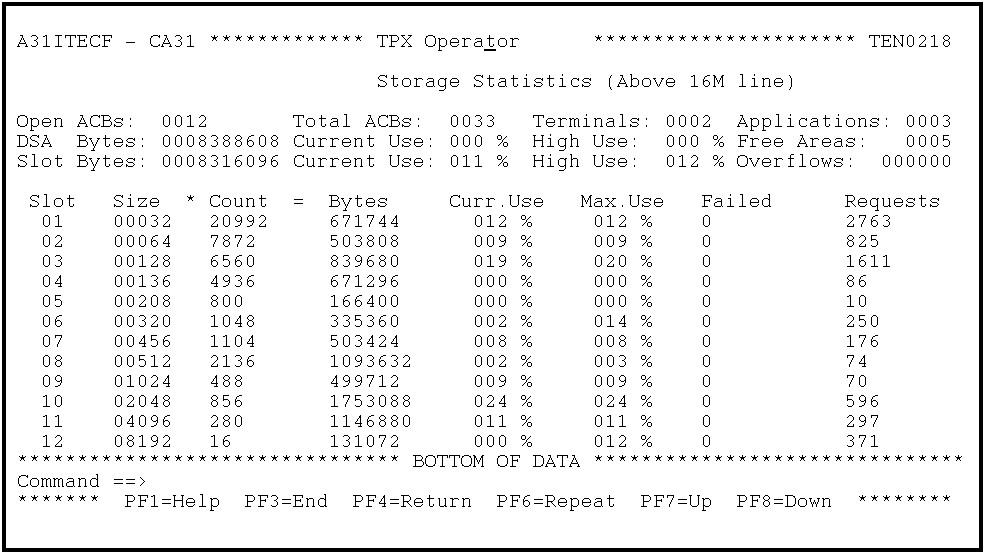
Use the “D STORXA” TPX operator command to display the storage line below the 16 MB. The following illustration is an example of a D STORXA screen:
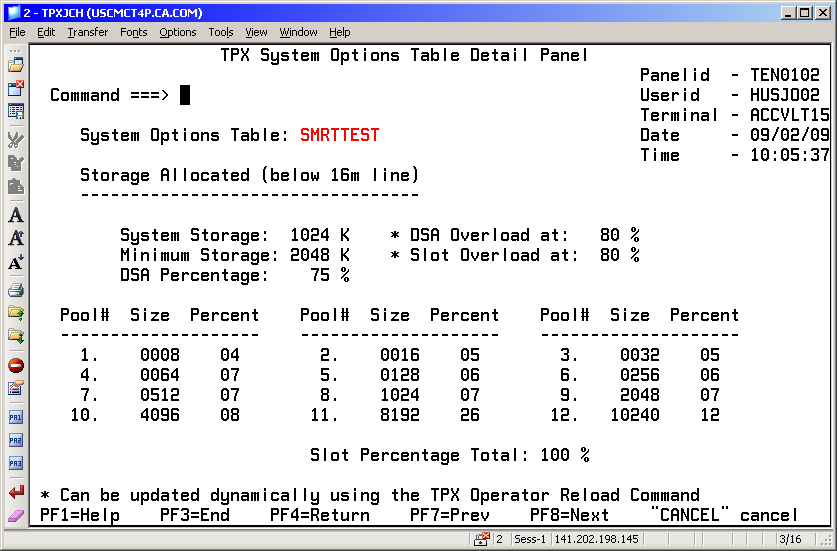
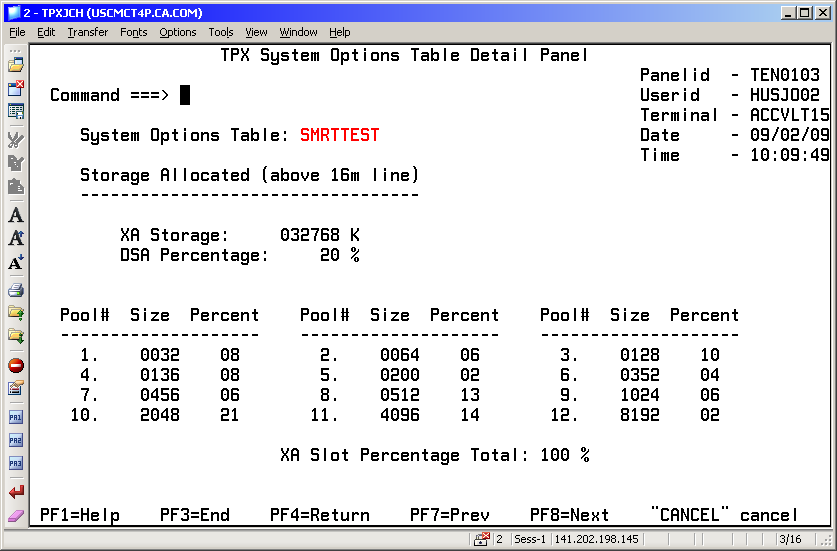
Use the Systems Options Table List to update the current TPX systems storage options. You can update the slot percentages. The following illustrations are the sample TPX System Options Table Detail Panel Storage screens for below and above the 16 MB:
No.
For more information about how to monitor the storage slots, see the section Adjust Storage Parameter in the chapter "Special Features and Customization Tasks" of the Programming Guide.
For more information about how to adjust the storage slots, see the sections, Below-the-Line Storage Parameters and Above-the-Line Storage Parameters, in the chapter "Specifying System Options" of the Administration Guide.
See the Message Reference Guide.
|
Copyright © 2013 CA.
All rights reserved.
|
|