

The Summary by Expire Date Object shows a summary of tapes organized by expiration date. The CATLMS catalog controls all of the tapes in the summary. The CATLMS Tape Volume records provide input to this summary.
For each expiration date, the object displays one summary record containing the following information:
Note: For more information on these fields, see the Help About Object online help.
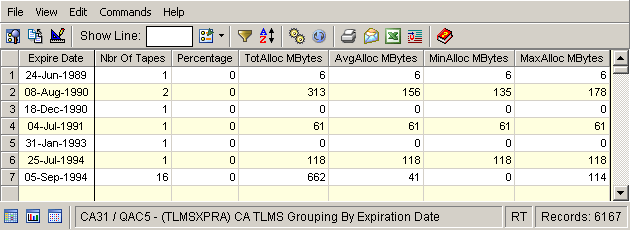
Example: Summary by Expire Date
In this example a table view of the summary is displayed by selecting the By Expire Date object in the Summaries folder under the CATLMS folder in the Object Tree and clicking the cogs:
|
Copyright © 2014 CA.
All rights reserved.
|
|