

You can work with multiple objects at the same time using zooms. A zoom is a view of another z/OS object related to the currently displayed object. The following shows how you can zoom from the CATLMS Volumes object to the CATLMS Files object window that displays the data set associated with a selected volume.
To zoom to another object
The following is an example of the Zoom List of CATLMS Volume dialog:
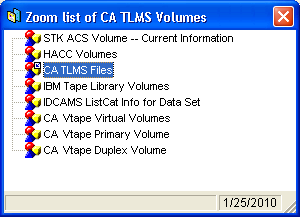
To zoom from a record. Click on the item to zoom to.
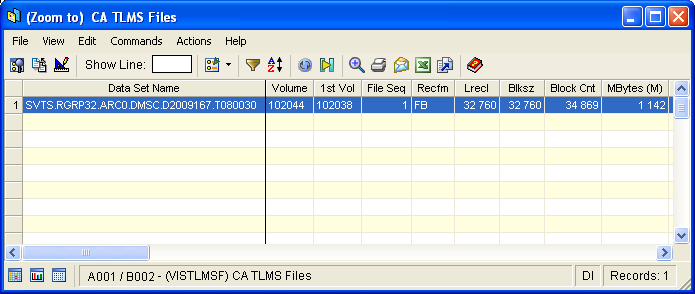
The Zoom to CATLMS Files object window opens, displaying the data set associated with the selected volume in the Volumes table. The following is an example of the of the Zoom to CATLMS Files object window:
|
Copyright © 2014 CA.
All rights reserved.
|
|