

Because CA SRM bases reports on views, and because all CA SRM views are completely customizable, reports are also completely customizable. For example, in the Network Storage folder of the Object Tree, expanding Computers displays several predefined views. One of these views is Computers at Risk, as shown in the following example:
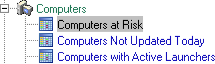
This preconfigured view alerts you to those computers in the CA SRM database that have the least amount of free space. This view presents any computer that has more than 70 percent of its total space occupied in yellow; those with more than 85 percent of their space occupied in orange; and those with more than 95 percent of their space occupied in red. You can generate a report on this view and schedule it to run at any interval, then send it to the printer, an email recipient, the Web, and so on.
You can easily modify any view. For example, if you want the cutoff point to be 85 percent instead of 70 percent, you can modify the current view to exclude the additional computers by choosing View Definition from the View menu. Running a report on the modified view instantly shows the changes you made.
You can also run a report based on a query that you have defined. When you define a query, CA SRM creates a view automatically in the appropriate folder of the Object Tree. You can then run a report on this view, just as you would run a report on any other view.
|
Copyright © 2016 CA Technologies.
All rights reserved.
|
|