

Check the Collect Quota check box on the Setting Data Collection Properties dialog if you want to collect quota information about the selected computer. CA SRM collects storage quota limit information about a user-to-volume basis.
Important! Collecting quota information significantly increases the amount of time it takes to perform data collection on the selected computer. Ensure that you need this data before selecting this option.
Before you can collect quota data, you must enable quota management. To enable quota management, follow these steps:
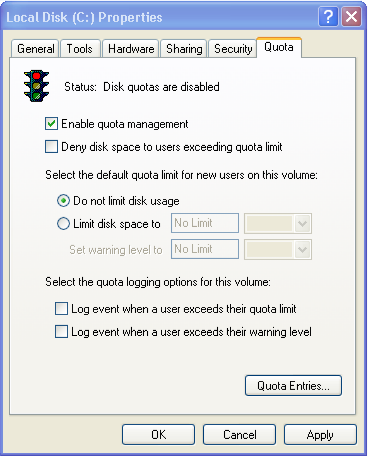
For more information about quota management, see your Microsoft documentation.
|
Copyright © 2016 CA Technologies.
All rights reserved.
|
|